

TL;DR: Tested March 2026. Google Stitch just transformed from a simple prompt-to-UI tool into a full AI-native design canvas. The March 2026 overhaul adds an infinite canvas, a project-wide design agent, voice commands, instant prototyping, and DESIGN.md for design system portability. Figma's stock dropped 8.8% on the news. Whether you're a designer exploring variations or a founder shipping your first MVP, Stitch closes the gap from idea to reality in minutes.
The Hook: UI design used to take months. Stitch wants to make it happen in a meeting.
🚨 The Problem: Design Handoffs Are Killing Your Velocity
The Painful Reality: Every startup founder knows this drill. You spend weeks in Figma, export PNGs, write 47 Slack messages explaining spacing, get feedback, iterate, lose the original file, and repeat. By the time development starts, your "simple landing page" has consumed three sprints.
Why Traditional Tools Suck: Figma is powerful, but it's designed for designers who already know what they want. For everyone else—founders, PMs, solo builders—it's a speed bump. You have to translate your vision into wireframes before you can even see it. And once AI coding tools like Claude Code and Cursor emerged, the gap between "having an idea" and "shipping working code" shrank dramatically. Design tools didn't keep up.
The Solution: Google Labs' March 2026 overhaul transforms Stitch into an "AI-native software design canvas" built for vibe design. Instead of wireframes, you describe what you want in plain English. Instead of exporting to Figma, you export directly to code via MCP. Instead of static mockups, you get interactive prototypes with one click.
📝 What Is Google Stitch?
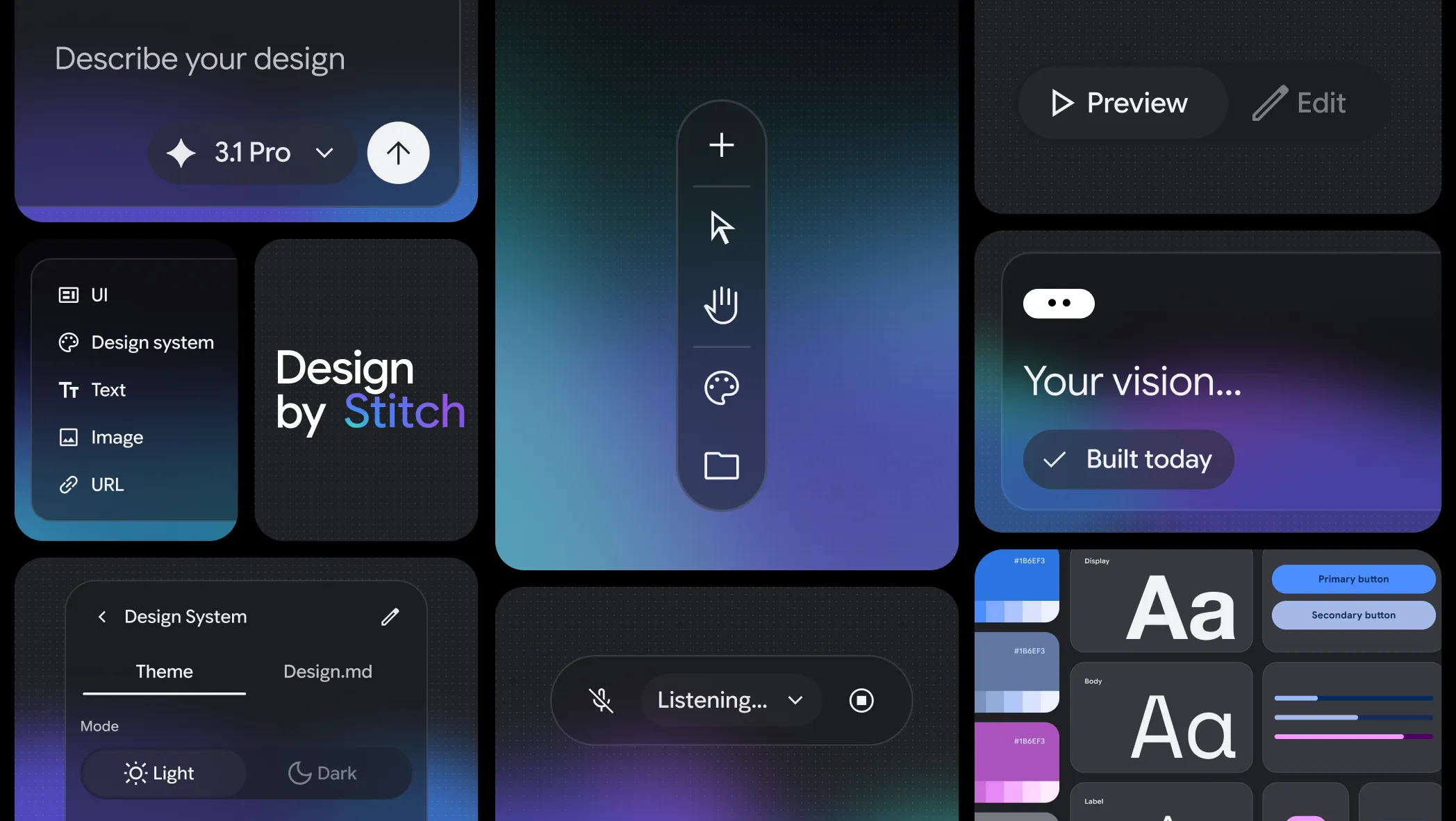
Stitch is Google's AI-powered UI design tool, now repositioned as your "vibe design partner." The March 2026 update is substantial—not a polish pass, but a complete rebuild around five major capabilities:
- AI-Native Infinite Canvas — Drop text, images, or code snippets together
- Project-Wide Design Agent — Reasons across your entire project history
- Voice Design (Preview) — Speak directly to your canvas
- Instant Prototyping — Click Play, get interactive flows
- DESIGN.md — Port your design system anywhere
📺 See It In Action
Demo via YouTube
💡 Key Features That Actually Matter
🎨 The Infinite Canvas (Finally, AI-Native)
Not just "infinite" in the Figma sense—it's built for AI from the ground up. You can drop:
- Text prompts — "Design a dark-mode SaaS dashboard"
- Images — Drop a competitor's screenshot for inspiration
- Code snippets — Paste HTML/CSS as a starting point
The canvas understands all three as valid design inputs. The AI agent sees everything and maintains coherence across your entire project—not just the current screen.
🧠 Design Agent With Project Memory
The new agent doesn't just generate screens. It reasons across your project's evolution. Ask it to "make this look more like Linear" and it updates every screen consistently. Request mobile versions of your desktop layouts and it generates them while maintaining both.
The Agent Manager tracks multiple design directions simultaneously. Test five homepage concepts without losing track—everything organizes in one workspace.
🎙️ Voice Design (Preview)
Talk to your canvas. Say "change this to a darker look, make three menu options, and show me the dashboard" and Stitch works on all of it simultaneously. The agent can:
- Give real-time design critiques as you speak
- Interview you about your brand and generate from the conversation
- Make instant revisions based on verbal feedback
This is still in preview, but Google promises fast improvements.
⚡ Instant Prototypes
Static screens are a poor proxy for real UX. Stitch fixes this: click anywhere on a screen during prototype mode, and it generates the next logical screen. Click "Create Account" → confirmation screen. Click a product image → detail page.
Stitch automatically generates different states: logged-in, logged-out, empty states, error messages. Get shareable prototype links with QR codes for mobile preview in seconds.
📐 DESIGN.md — The Design System Bridge
Historically, every new project meant rebuilding your design tokens from scratch. Stitch introduces DESIGN.md—an agent-friendly markdown format that:
- Extracts design systems from any URL — Paste a URL, get the design system
- Exports to other tools — Sync to AI Studio, Antigravity, or any MCP-compatible tool
- Keeps consistency — Your design rules travel with your project
🔌 MCP Integration
Stitch connects to your existing AI workflow via MCP server and SDK (2.4k stars on GitHub). Export directly to:
- Cursor
- Antigravity
- Google AI Studio
- Any MCP-compatible tool
🥊 How Does It Compare?
| Tool | Best For | Stitch's Edge | Where Stitch Lags |
|---|---|---|---|
| Figma | Professional design systems, collaboration | AI-native workflow, voice design, instant prototypes | Plugin ecosystem, advanced prototyping, team features |
| Pencil.dev | Developer-focused design-as-code | Google ecosystem, voice, DESIGN.md portability | IDE integration, .pen file Git versioning |
| Claude Canvas | Quick AI prototyping | Visual design, voice, design systems | Canvas is free; Stitch requires Google account |
The Verdict: Stitch isn't trying to replace Figma—it's trying to make the 80% of UI work that doesn't need Figma's complexity happen in minutes, not weeks.
⚖️ The Good, The Tradeoffs, The Cost
👍 Wins
- Completely free — No paid tiers announced
- Voice design — Unique among competitors
- DESIGN.md — Genuinely useful innovation
- Instant prototypes — One-click user flow generation
- Google ecosystem — Direct export to AI Studio, Antigravity
- No wireframes needed — Start with business objectives
👎 Tradeoffs
- Still in Google Labs — May change or sunset
- Voice in preview — Not production-ready yet
- Requires Google account — No anonymous usage
- Limited to supported regions — Not globally available
- Figma integration — Export only, not bidirectional sync
- Complex design systems — May need refinement in Figma
💰 Pricing
Currently free. Google has not announced paid tiers. Use it now while it's free—no credit card required, just a Google account.
❓ Frequently Asked Questions
Is Google Stitch free to use?
Yes. As of March 2026, Stitch is completely free with full feature access. Google has not announced paid tiers, but this may change.
Does Stitch work on mobile?
Stitch is web-based (stitch.withgoogle.com). You can view and interact with shared prototypes on mobile via QR codes, but the design canvas requires desktop.
What's the difference between Stitch and Figma?
Figma is a professional design tool for teams with complex workflows. Stitch is AI-native and optimized for rapid ideation—you describe what you want and get working designs. Stitch exports to Figma for refinement, but they're complementary rather than competing.
What is "vibe design"?
"Vibe design" is Google's term for describing your design intent through desired outcomes, feelings, or examples rather than wireframes. Instead of "I want a blue navbar with three links," you might say "Make this feel like Linear—modern, data-dense, professional."
Can Stitch replace my frontend developer?
No. Stitch generates the UI shell—designs and prototypes. For production code with state management, API integration, and business logic, you'll still need a developer. But Stitch + Claude Code can handle the UI implementation layer.
What is DESIGN.md?
DESIGN.md is a markdown file format that captures design tokens, color palettes, typography rules, and component specifications. Stitch can extract design systems from any URL or export your Stitch design to other tools. It's designed to keep your design system consistent across projects and tools.
🧠 Final Verdict: Who Should Use Stitch?
"UI design used to take months. Stitch wants to make it happen in a meeting."
— Google Labs, March 2026 Announcement
✅ Use Stitch Today If:
- You're a founder who needs to ship an MVP UI fast
- You're exploring dozens of design directions and need speed
- You want to generate UI from business objectives, not wireframes
- You're using Google AI Studio or Antigravity for development
- You need instant interactive prototypes for stakeholder demos
⏳ Wait or Use Alongside Figma If:
- Your team has an established Figma workflow
- You need bidirectional Figma sync (Stitch only exports to Figma)
- You're doing highly specialized UX research or usability testing
- Voice design features are critical for your workflow (still in preview)
The Bottom Line: Google Stitch's March 2026 overhaul isn't an incremental update—it's a redefinition. By building AI-native from the ground up and introducing genuinely useful innovations like DESIGN.md and voice design, Stitch positions itself as the tool for the post-wireframe era. Figma's stock drop tells you everything you need to know about how seriously the industry is taking this. Try it before it becomes "too popular to be free."
Tags: AI Tools, Design Tools, Developer Tools, Vibe Coding, Google, MCP, UI Design, Prototyping
