


🎙️ Podcast - Audio Summary
📺 Video Summary
📑 Slides
📝 Deep Dive: Figma MCP: AI Agents Can Now Design Directly on the Canvas
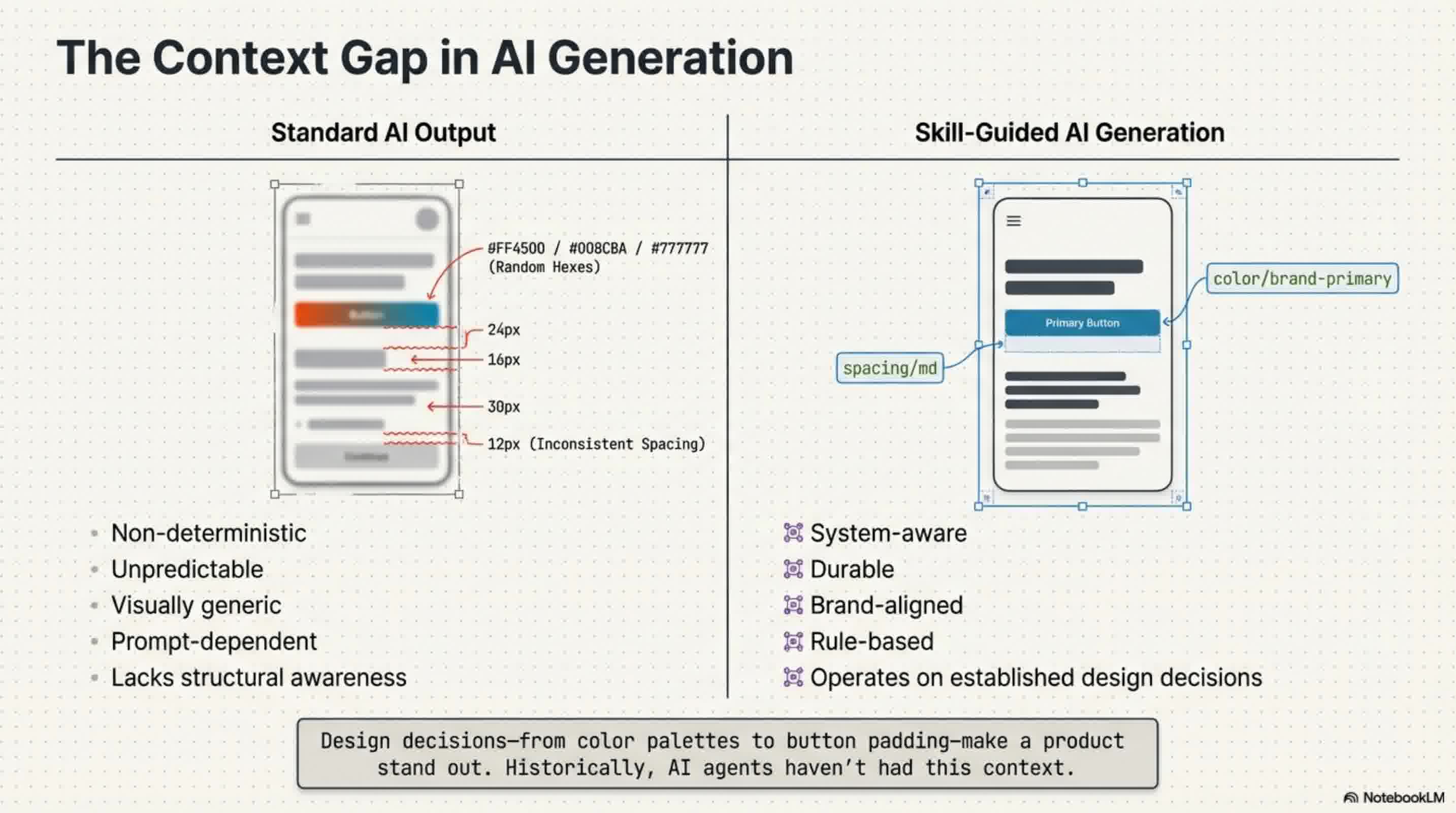
Design decisions—from typography to button padding—are what make a product's user experience truly stand out. However, designs generated by AI have historically felt generic and unfamiliar because AI agents lacked the context of these crucial, team-specific design decisions.
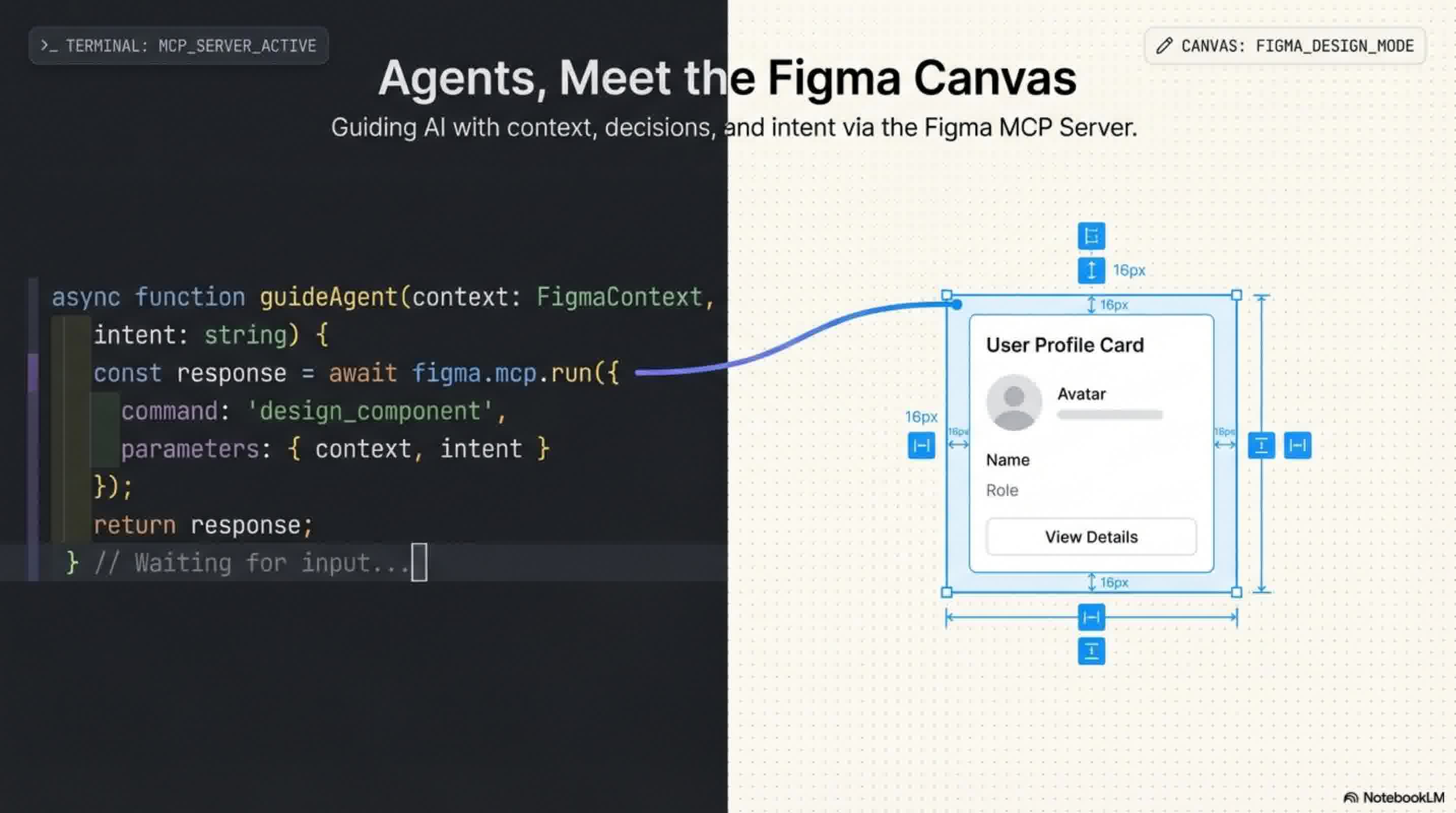
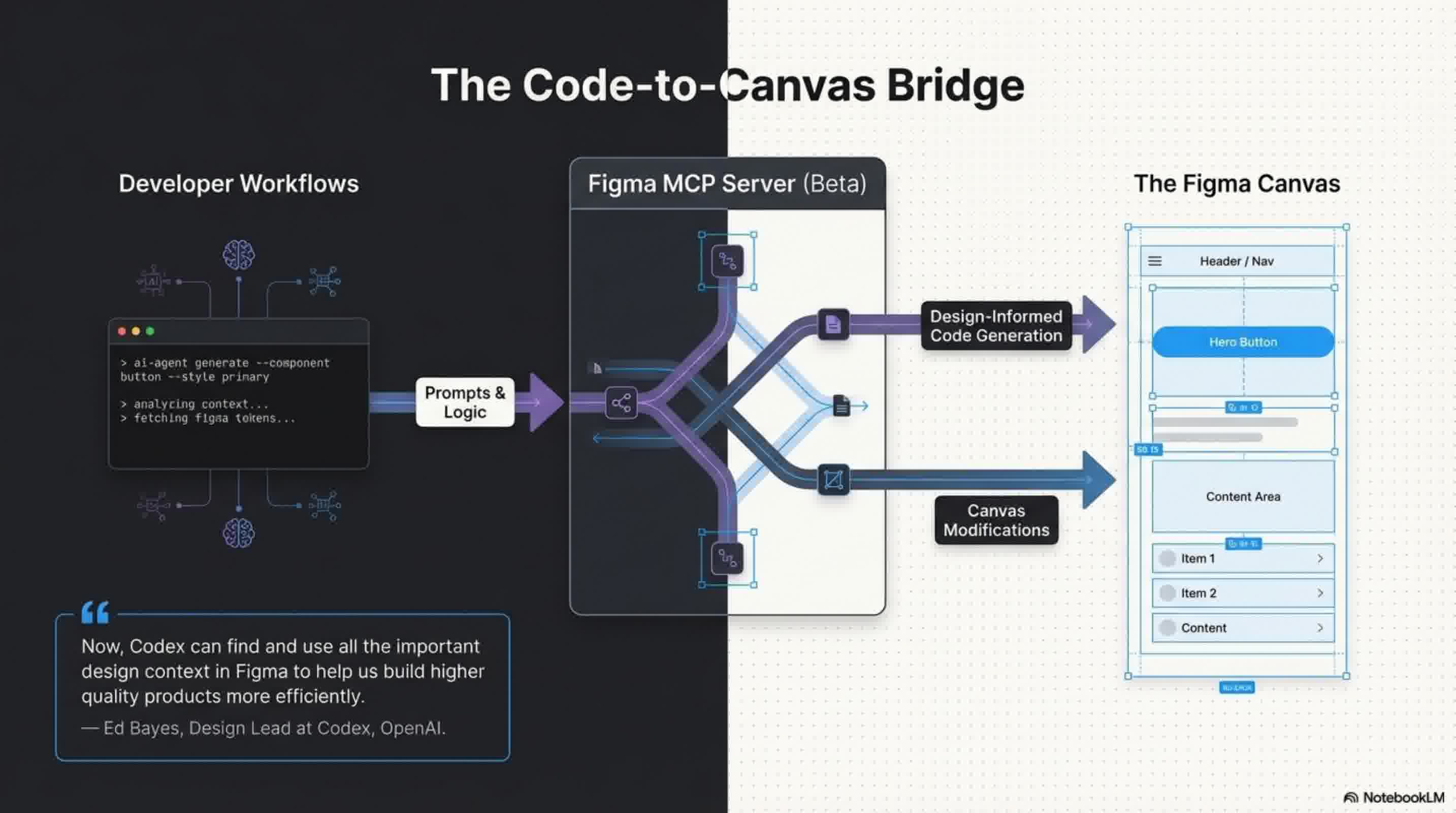
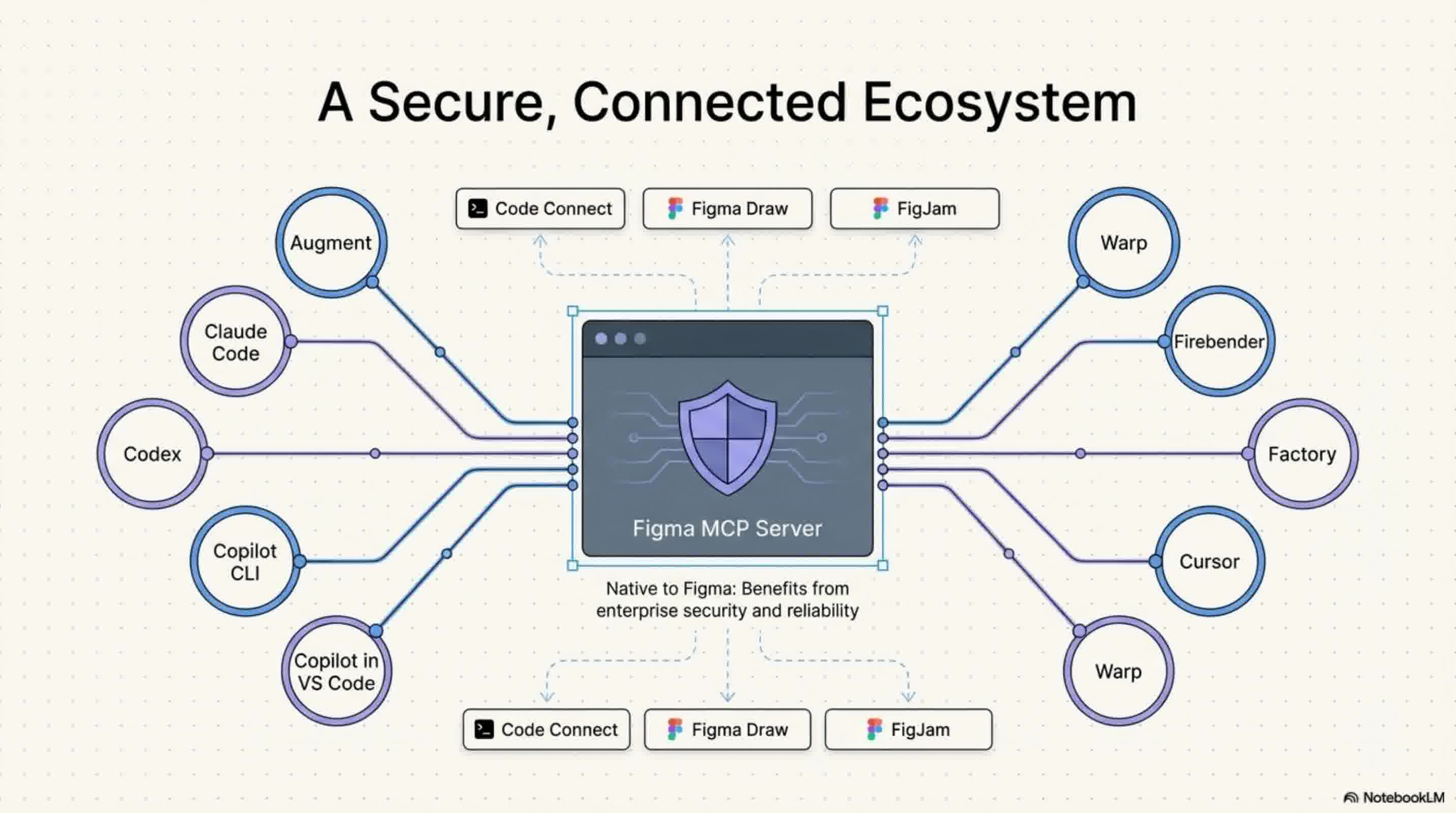
That is changing. With the beta release of the Figma MCP server, AI agents are now able to design directly on the Figma canvas, bringing Figma straight into the developer workflow. By supporting MCP clients like Claude Code, Codex, Cursor, and Warp, Figma is giving builders more choices and bridging the gap between design and development.
Here are four ways AI agents are rewriting the rules of the Figma canvas:
1. Context-Aware Designing via the use_figma Tool
Previously, AI lacked access to a team's established design standards. Now, via the newly introduced use_figma tool, AI agents can write directly to your Figma files and operate on the canvas using your specific design system. This allows agents to generate and modify design assets that are strictly linked to your design system, rather than guessing at styles. As Ed Bayes, Design Lead for Codex at OpenAI, explains, this allows AI to "find and use all the important design context in Figma to help us build higher quality products more efficiently".
2. Fluid Workflows Between Code and Canvas
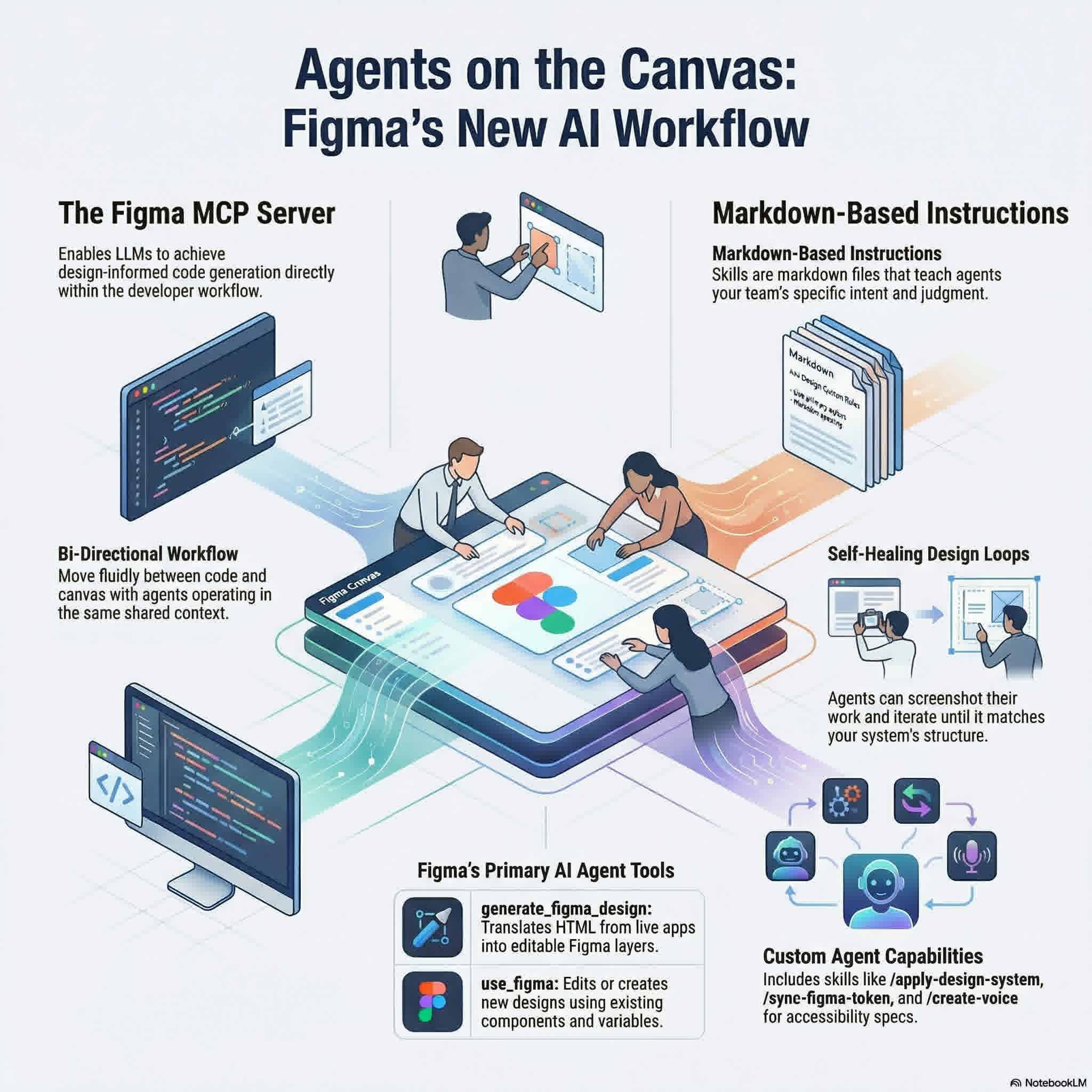
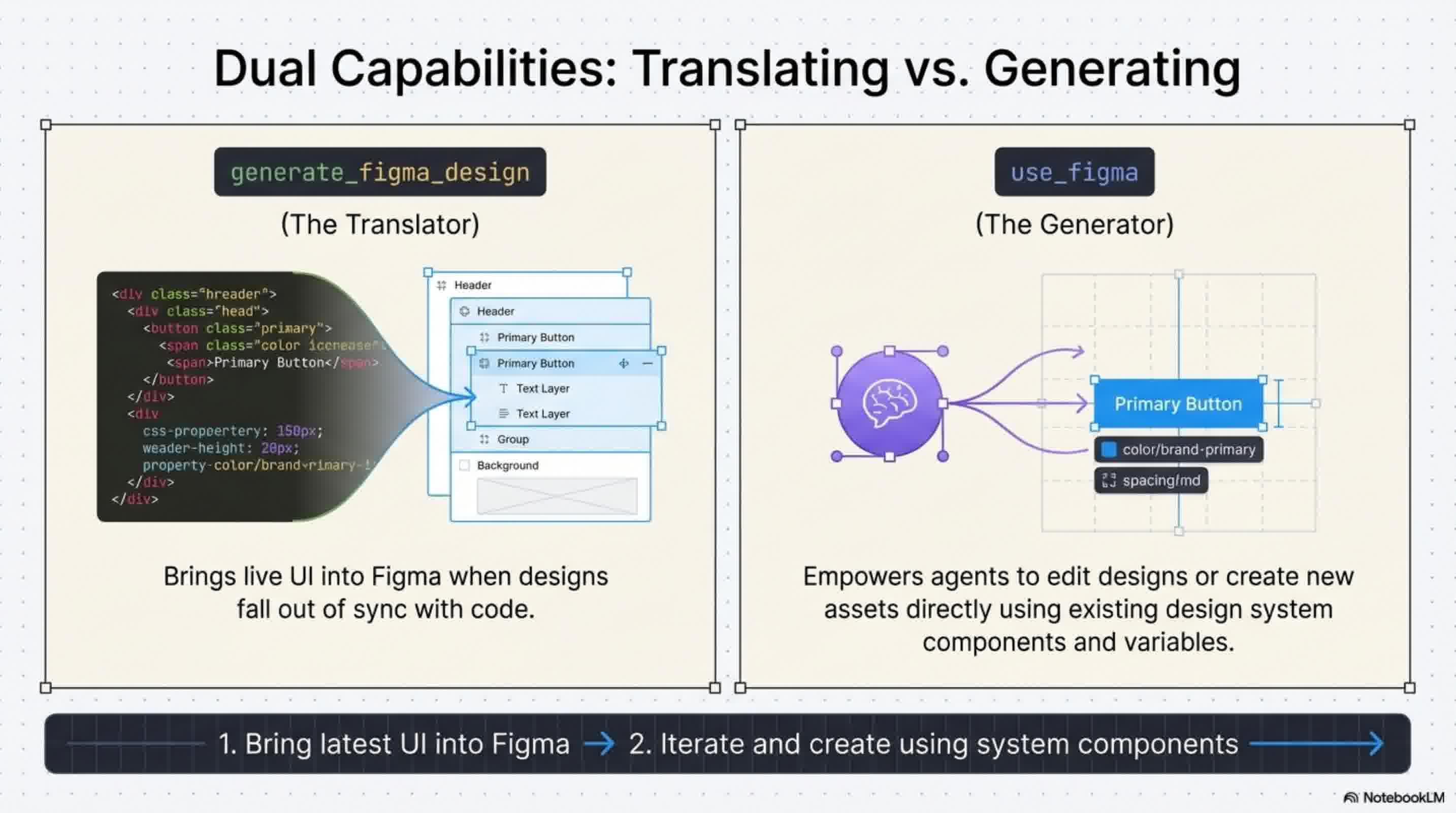
Figma's new capabilities allow you to move fluidly between your codebase and the design canvas with shared context. The new use_figma tool acts as a perfect complement to Figma's existing generate_figma_design tool, which translates live HTML from apps and websites into editable Figma layers. When your live code falls out of sync with your designs, you can use generate_figma_design to bring the latest UI back into Figma. From there, your AI agents can use the use_figma tool to edit those designs or create brand-new assets utilizing your existing components and variables.
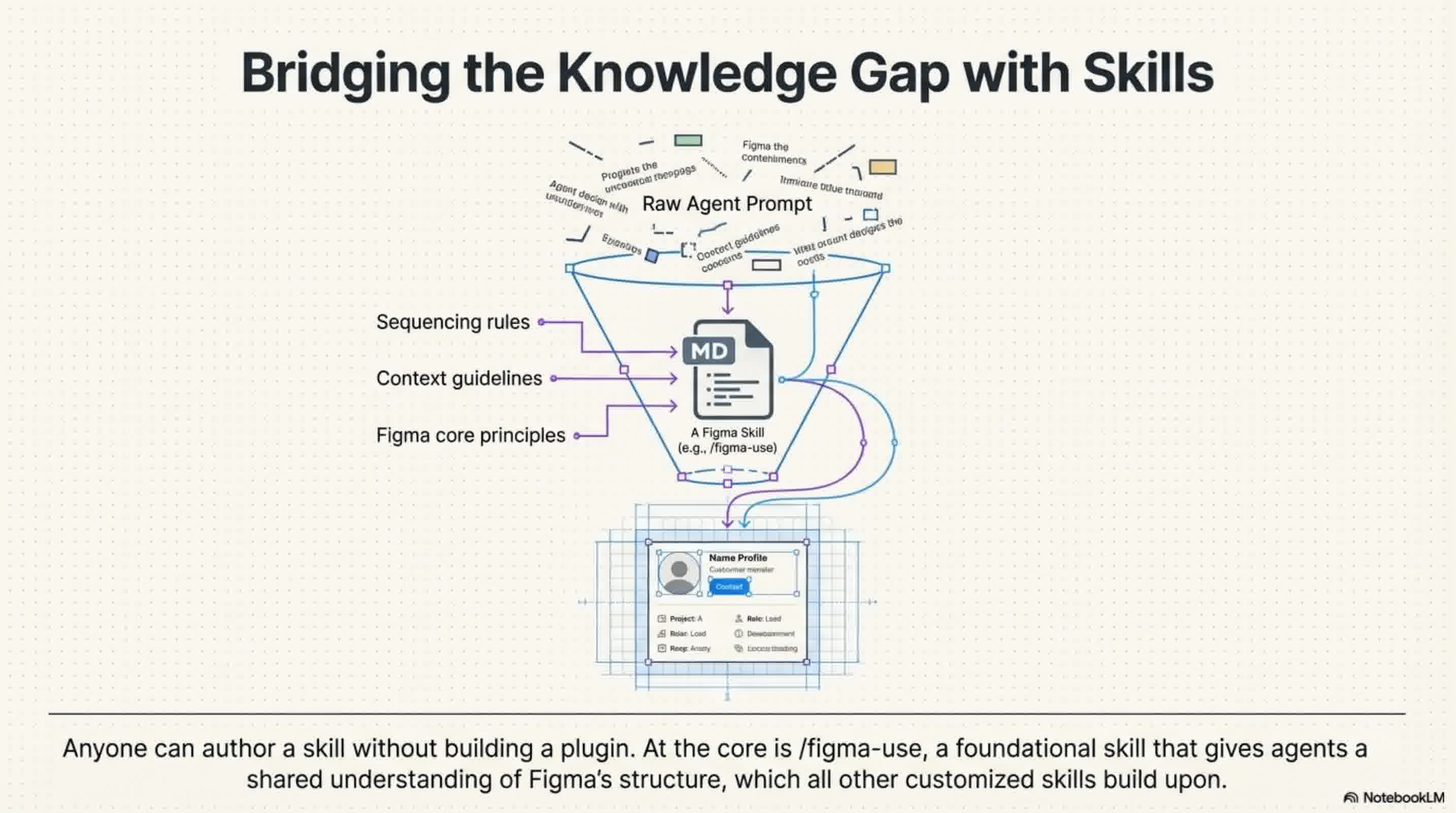
3. Guiding AI with Markdown "Skills" To ensure agents know how to work in Figma, you can now instruct them using "skills". Skills are sets of instructions written as simple markdown files, meaning anyone can author a skill without needing to build a plugin or write complex code. These skills outline exact execution workflows, sequencing, and conventions, ensuring agents have the specialized knowledge to produce durable, brand-aligned designs.
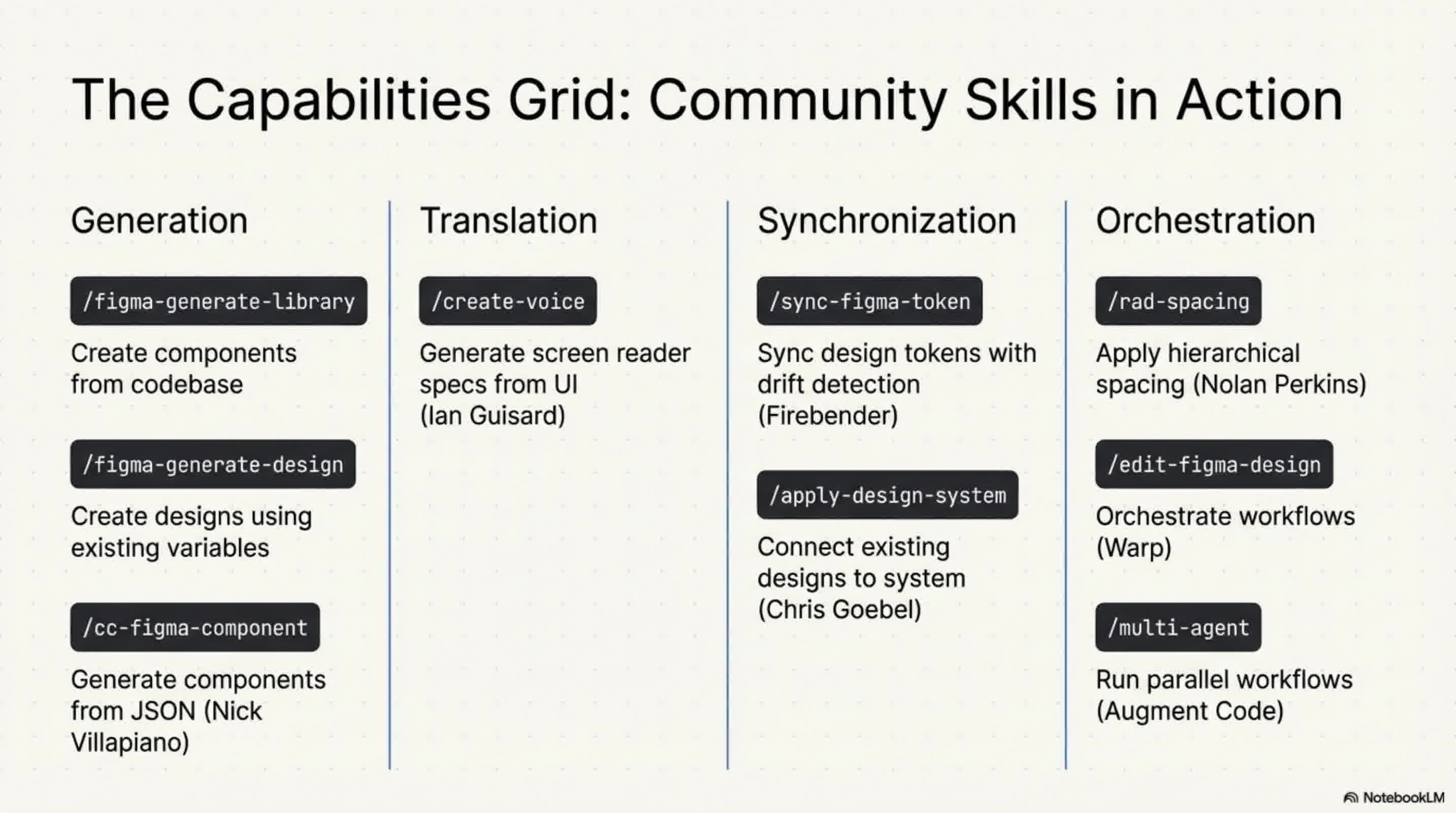
All skills build upon a foundational /figma-use skill, which gives agents a shared understanding of Figma's core principles and structure. The community is already building upon this, with example skills like /figma-generate-library to create components from a codebase, /apply-design-system to connect existing designs to system components, and /sync-figma-token for syncing design tokens between code and Figma.
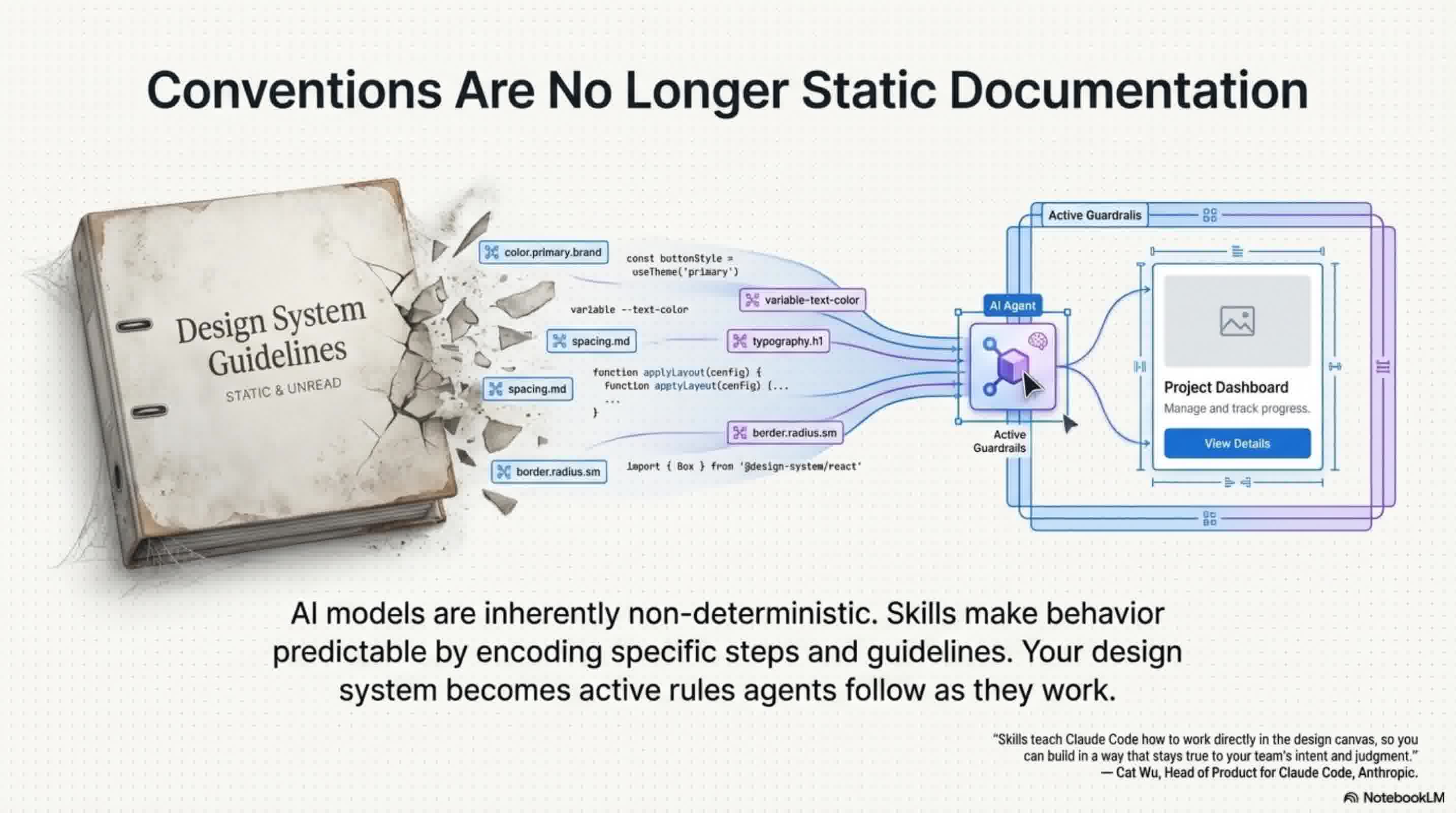
4. Predictability and Self-Healing Loops AI models are inherently non-deterministic, meaning the exact same prompt can often produce wildly different results. Skills solve this problem by encoding specific steps and guidelines, making the AI's behavior predictable and transforming static documentation into strict rules that agents must follow.
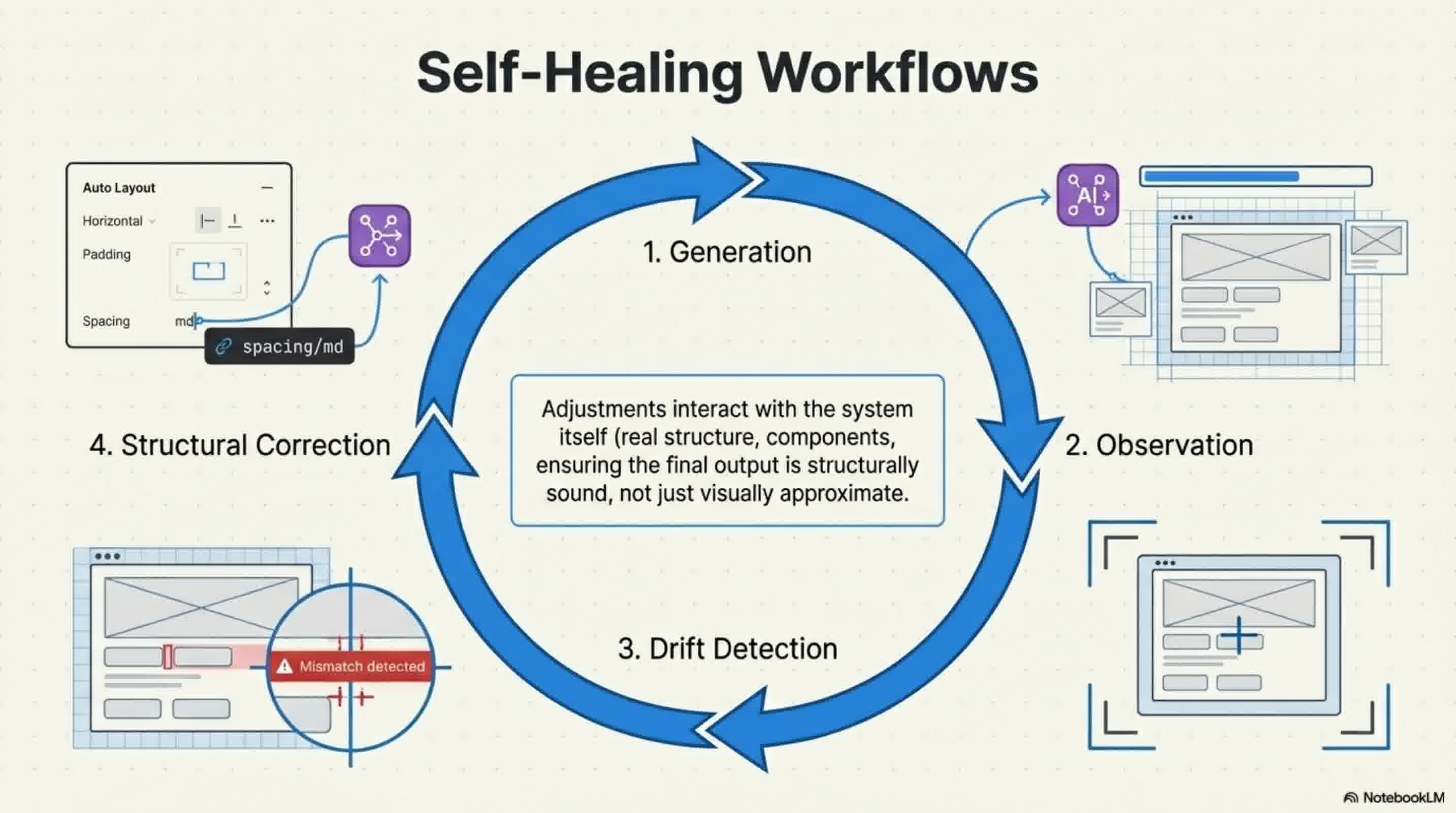
Furthermore, skills empower agents to refine their own output through self-healing loops. When an agent generates a screen, it can take a screenshot, identify what doesn't match the required design conventions, and iterate on it. Because the agent works with real structure—interacting with components, variables, and auto layout—these iterative adjustments interact deeply with the design system itself, not just the visual surface.
What's Next for Agents in Figma? Because these capabilities are native to the Figma MCP server, they benefit directly from Figma's built-in security and reliability while opening up access to surfaces like Code Connect, FigJam, and Figma Draw.
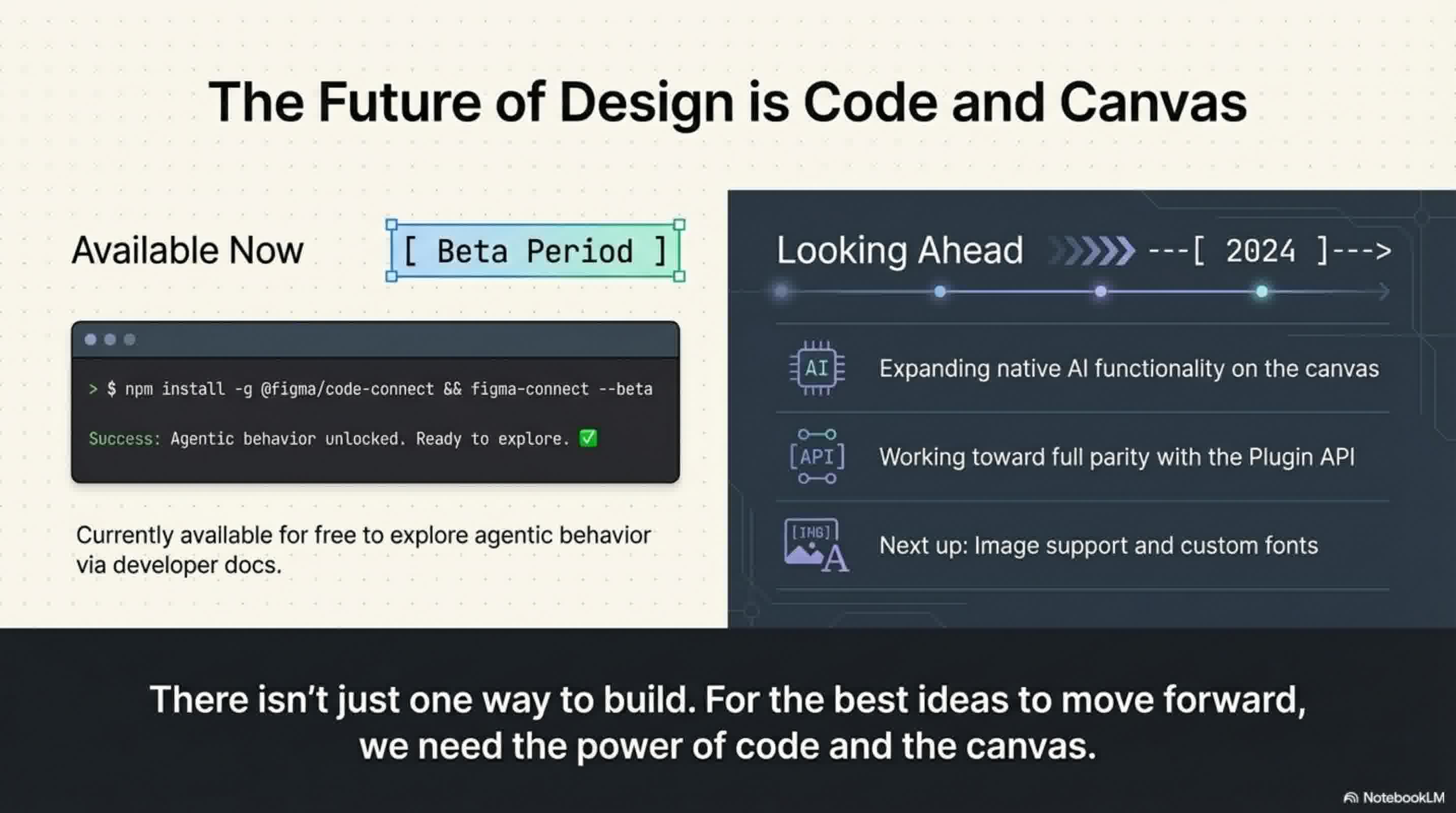
Looking ahead, Figma plans to expand what agents can do natively on the canvas, working toward feature parity with the Plugin API to include image support and custom fonts. While this agent integration will eventually become a usage-based paid API, it is currently available completely for free during the beta period as Figma studies agentic behavior on the platform.
📄 Briefing Doc: Technical Analysis
📋 Technical Specifications & Detailed Analysis
Executive Summary Figma has officially introduced beta capabilities allowing AI agents to design directly on the Figma canvas. Historically, AI-generated designs have felt generic and unfamiliar because they lacked the context of a team's specific design decisions, such as color palettes, button padding, and typography. By leveraging the newly released Figma MCP server, Figma is bringing its platform directly into the developer workflow, enabling Large Language Models (LLMs) and MCP clients—such as Claude Code, Codex, Cursor, and Warp—to achieve design-informed code generation and produce brand-aligned assets.
Key Technical Capabilities
- The
use_figmaTool: This new tool empowers AI agents to write directly to your Figma files. Instead of guessing at design styles, agents can now operate on the canvas by tapping directly into a team's established design system, components, and variables. - Fluid Code-to-Canvas Workflows: The
use_figmatool is designed to complement the existinggenerate_figma_designtool, which translates live HTML from apps and websites into editable Figma layers. When live code and designs fall out of sync, teams can pull the latest UI into Figma to iterate, and then use agents via theuse_figmatool to edit those designs or generate entirely new assets. - Guiding Agents with "Skills": To bridge the knowledge gap and teach agents exactly how to work in Figma, teams can instruct them using "skills". Skills are sets of instructions written simply as markdown files that outline exact execution workflows, sequencing, and design conventions. Crucially, anyone can author a skill without needing to build a plugin or write complex code. All skills build upon a foundational
/figma-useskill, giving agents a shared understanding of Figma's structure and core principles. The community is already leveraging this to build skills like/figma-generate-libraryto create components from a codebase, and/create-voiceto generate screen reader specs. - Predictability and Self-Healing Loops: Because AI models are inherently non-deterministic, skills are utilized to encode specific steps and guidelines, transforming static documentation into strict rules that make AI behavior predictable. Furthermore, skills empower agents to refine their own output through self-healing loops. When an agent generates a screen, it can take a screenshot, identify inconsistencies, and iteratively adjust the actual structure—interacting deeply with components, variables, and auto layout rather than just visual surface elements.
Strategic Impact and Security Because these agentic capabilities are native to the Figma MCP server, they directly benefit from Figma's built-in security and reliability. Furthermore, this native integration opens up AI access to other key Figma surfaces through the Plugin API, including Code Connect, Figma Draw, and FigJam.
Pricing and Future Outlook
- Current Availability: The feature is currently available completely for free during its beta period while Figma studies how to account for agentic behavior on the platform.
- Future Pricing: Upon full release, this agent integration will transition to a usage-based paid API.
- Roadmap: Looking ahead, Figma plans to expand native AI functionality on the canvas to achieve feature parity with the Plugin API. Upcoming additions include vital features like image support and custom fonts.
🔗 References
- Agents, Meet the Figma Canvas | Figma Blog — Primary source notebook
