


🎙️ Podcast - Audio Summary
📺 Video Summary
📑 Slides
📝 Deep Dive: Google's DESIGN.md Standardises AI Design Systems
TL;DR Summary
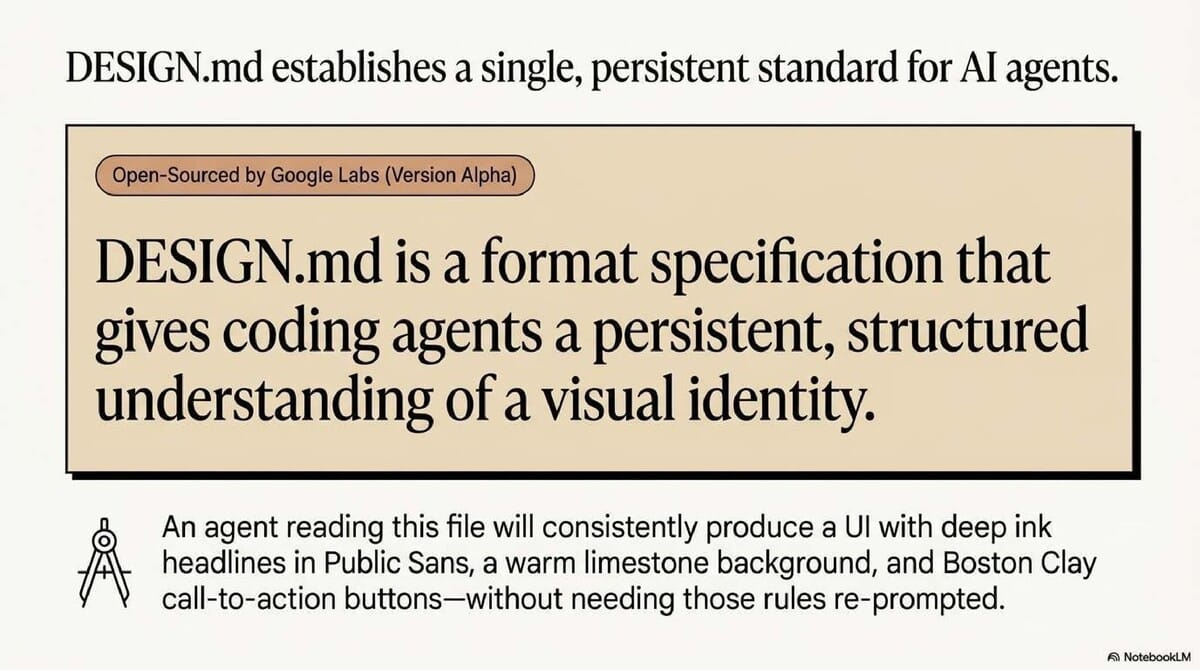
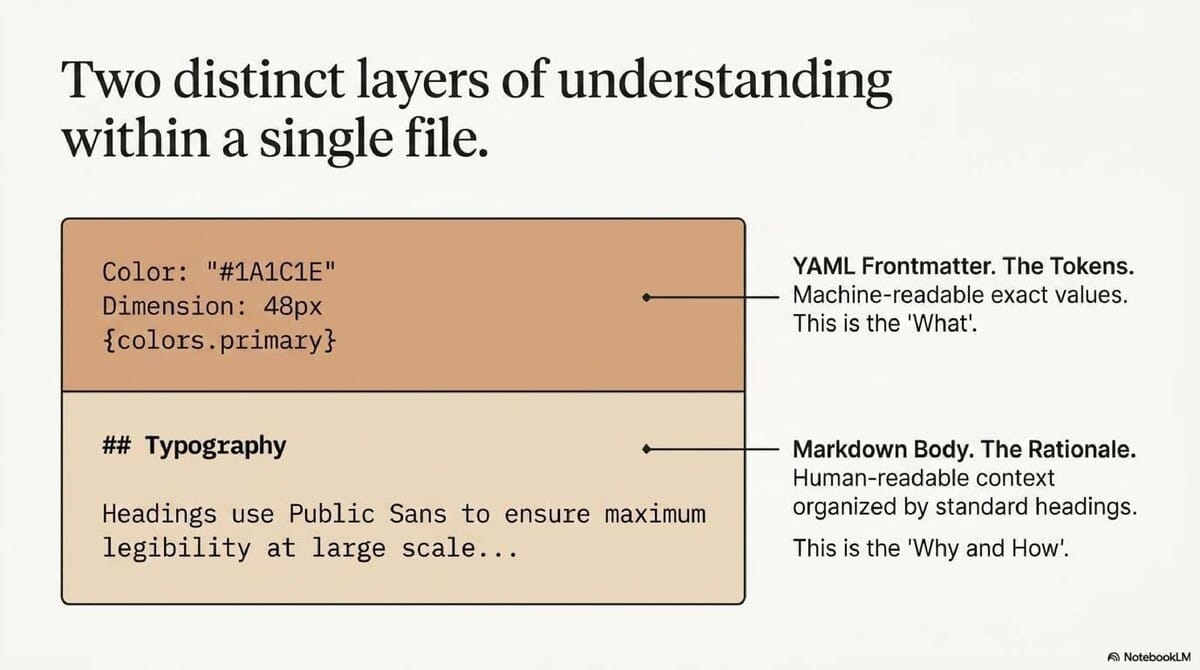
DESIGN.mdis an open-source format specification that pairs machine-readable YAML tokens with human-readable Markdown rationale. It provides AI agents with a persistent, structured understanding of a design system to ensure visual consistency across platforms. By bridging the gap between raw data and design intent, it creates a "source of truth" that moves beyond unreliable prompt engineering.
The "Lost in Translation" Problem
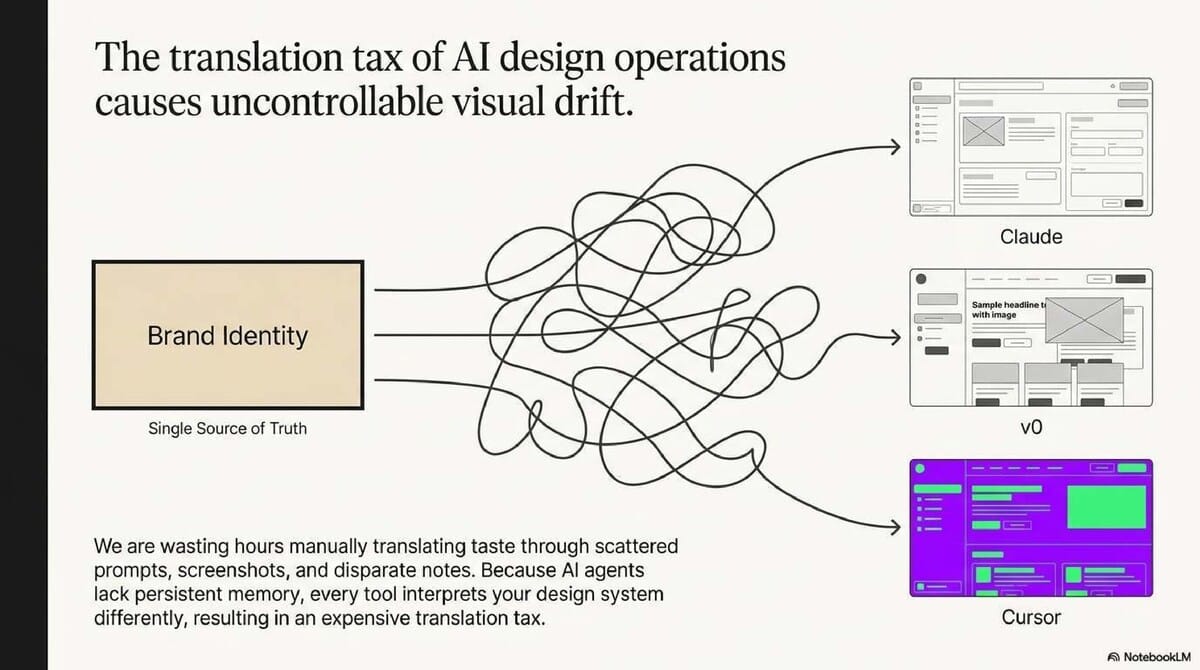
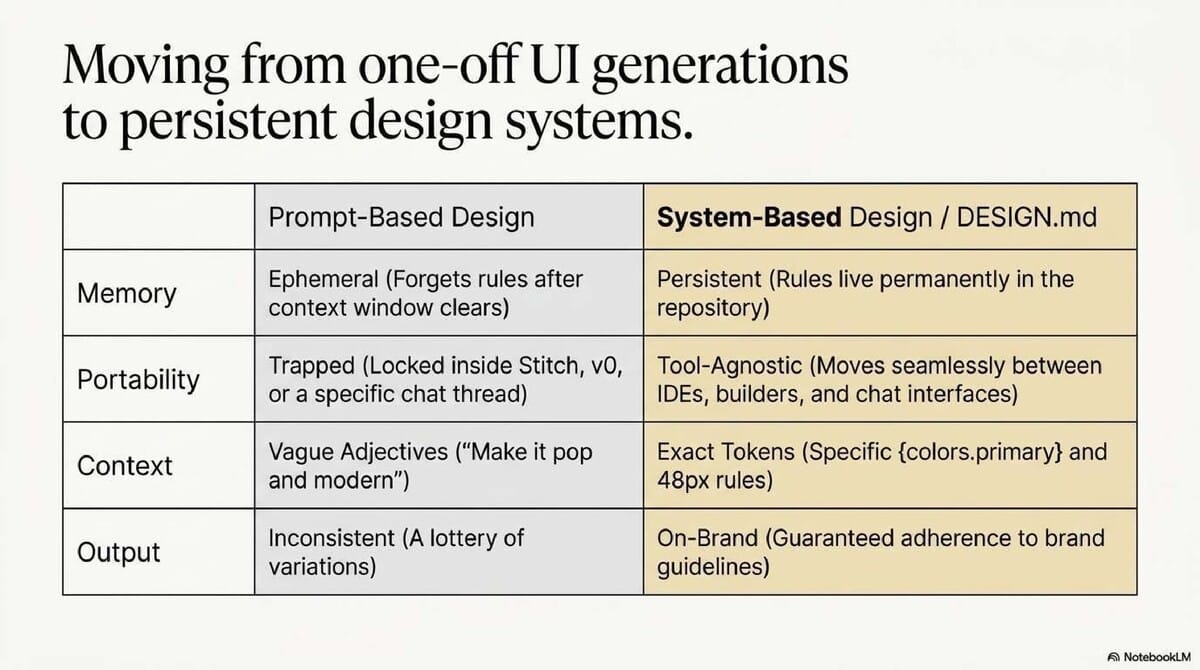
Design leaders are tired of "vibe coding." Relying on prompt engineering and screenshots creates a massive "QA tax," where AI tools produce inconsistent, off-brand UI that requires manual correction.
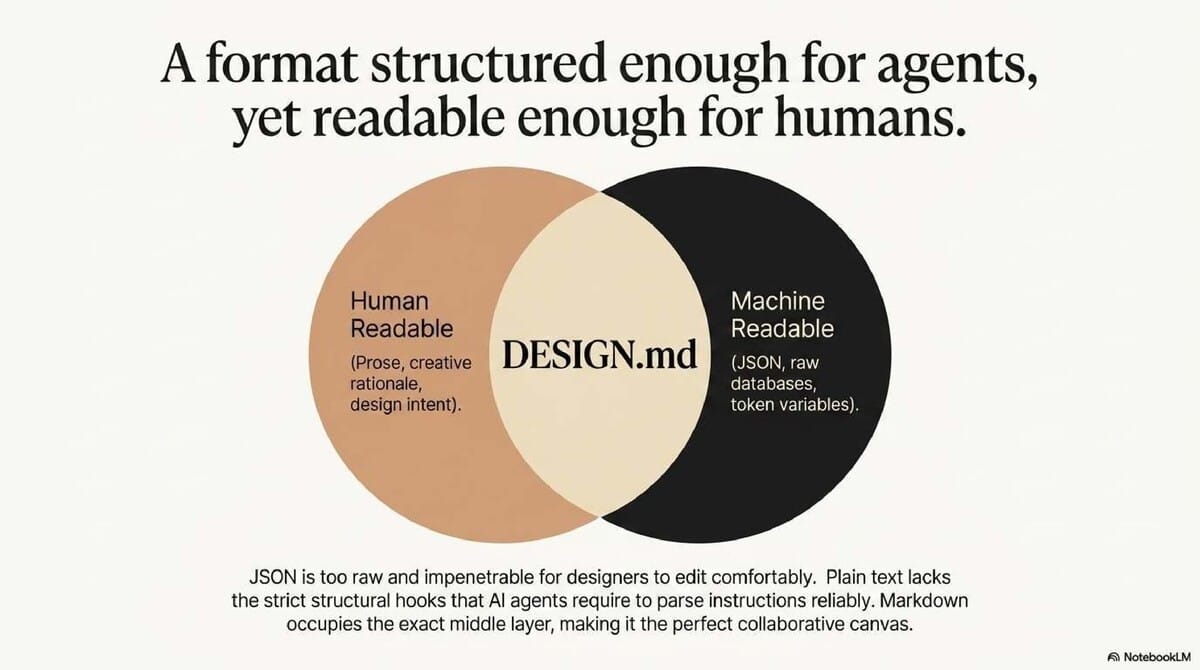
DESIGN.md solves this by codifying institutional knowledge. It acts as a strategic bridge between pure code (JSON) and pure prose, mitigating the overhead of vibe-based handoffs and ensuring agents respect the brand’s core logic.
Takeaway 1: Markdown is the "Goldilocks" Layer for AI Alignment
Why Markdown beats JSON for human-AI collaboration JSON is built for databases, while pure prose is too nebulous for strict AI adherence. Markdown provides the perfect middle ground: it is structured enough for agents to parse but remains readable for design leaders to audit.
Leadership Context: Inspectability and Standards
This format prioritizes "inspectability." If an AI hallucinates a value, a leader can open the .md file to see exactly where the logic failed. Crucially, the tokens are inspired by the W3C Design Token Format (DTCG), ensuring long-term interoperability and industry alignment.
Takeaway 2: Design Rules are Now Portable and Platform-Agnostic
Ending the "Figma Fortress" and tool-specific lock-in
DESIGN.md allows a visual identity to move fluidly between tools like Stitch, Neuform, and Cloud Design, or coding agents like Cursor. It prevents design logic from being trapped inside a single proprietary tool.
Expert Quote
"We are going to be able to create these consistent designs and create multiple versions of it quickly move between platforms... because we have one file that is common." — Mengto, DesignCode
Workflow Evolution
| Old Workflow | DESIGN.md Workflow |
|---|---|
| Screenshots & taste-based translation | One persistent, versioned file |
| Scattered documentation & manual handoff | Shared, agent-ready logic |
| Vibe-based guesswork | Rule-based guardrails & implementation clues |
Takeaway 3: Raising the "Quality Floor" with Automated Linting
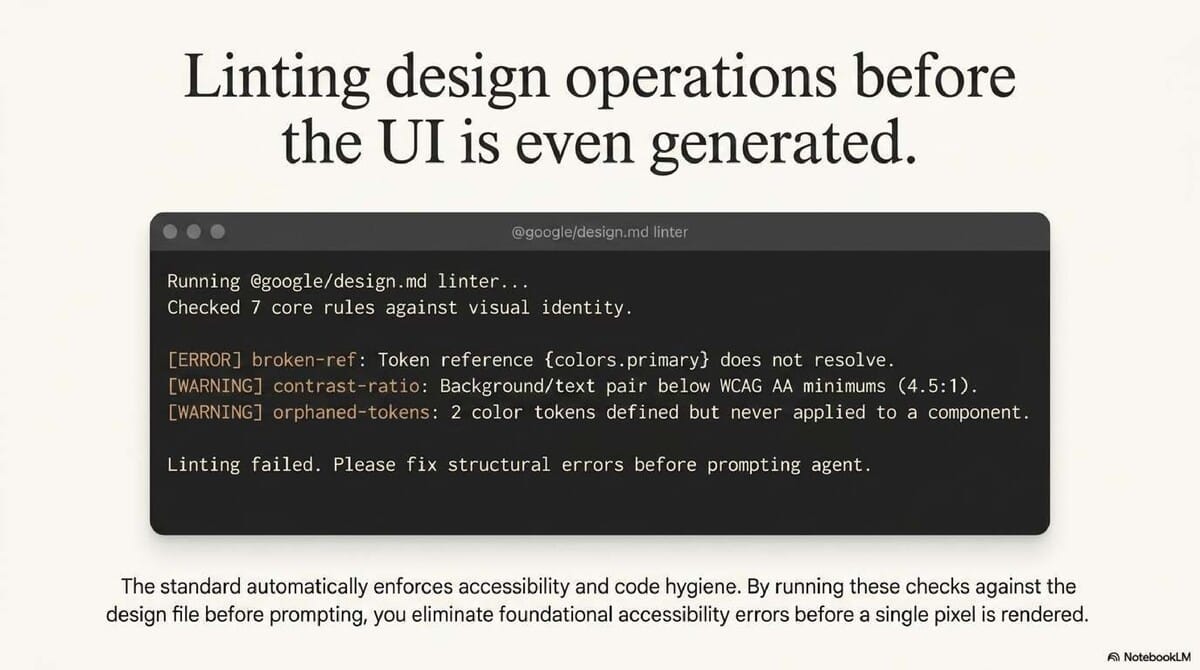
Design systems can now be "unit tested" before a single line of production code is written. The DESIGN.md CLI identifies structural findings as structured JSON, allowing these checks to be integrated directly into CI/CD pipelines.
The 8 Canonical Linting Rules:
broken-ref(Error): Identifies tokens that don't resolve to a defined value.missing-primary(Warning): Flags when no primary brand color is defined.contrast-ratio(Warning): Checks if background/text pairs meet WCAG AA (4.5:1).orphaned-tokens(Warning): Flags color tokens defined but never referenced.missing-typography(Warning): Flags missing typography tokens (agents will fallback to defaults).section-order(Warning): Ensures sections follow the canonical spec order.token-summary(Info): Provides a count of defined tokens per section.missing-sections(Info): Flags absent optional sections like spacing or rounded.
Takeaway 4: Systemic Expansion from a "Hero" Reference
From one hero section to an entire product ecosystem
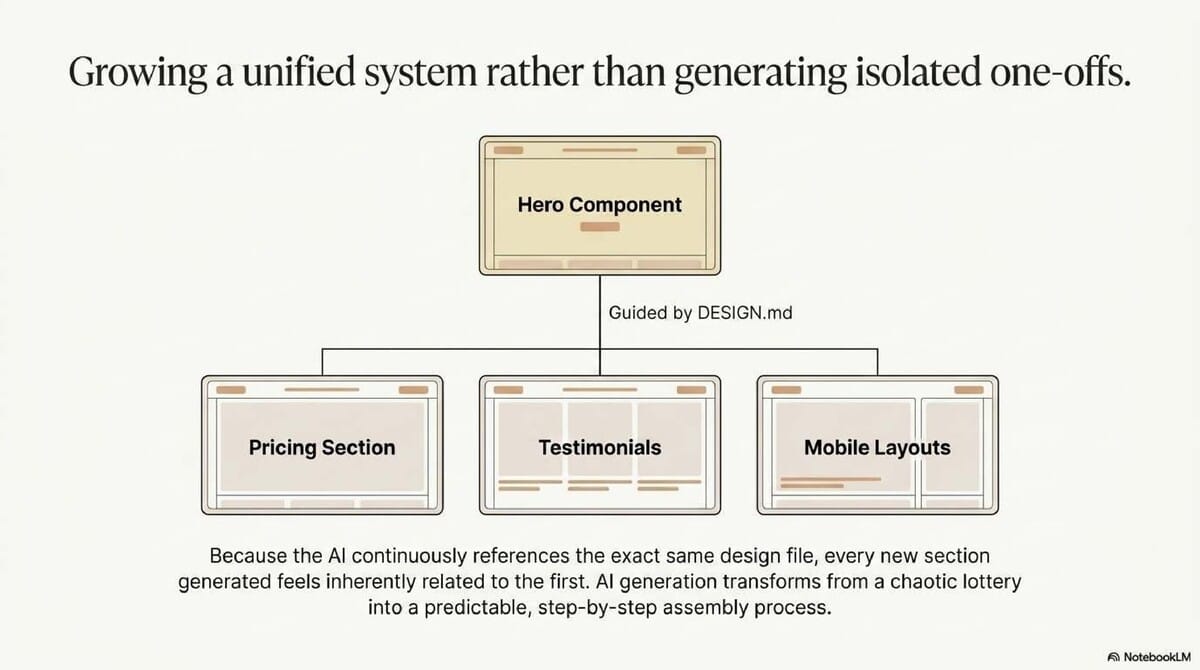
Velocity is the primary metric for DesignOps. DESIGN.md allows a team to take a single "Hero Section" and branch it into pricing tables, testimonials, and mobile layouts without losing brand essence.
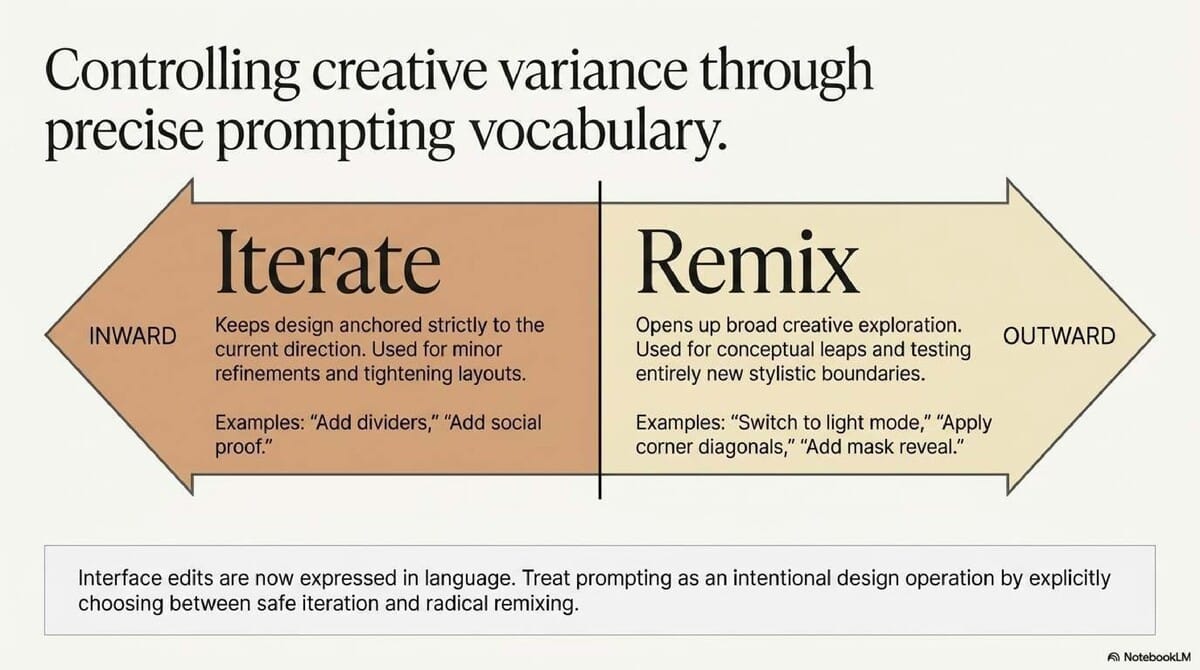
Remix vs. Iterate Choosing the right mode prevents accidental overcorrection. Iterate keeps the AI close to the current direction for fine-tuning, while Remix opens up broader exploration for rapid conceptual branching.
Takeaway 5: Capturing Logic as Persistent Project Memory
DESIGN.md prevents "design drift" by documenting the why alongside the what. This captures the "Skills" of a system—reusable logic for specific aesthetics like complex border gradients or beautiful shadows—as packaged prompts the AI can reuse.
Leadership Context
When designers leave, the "logic" of the system often disappears. DESIGN.md acts as a repository for that intent, ensuring the AI assistant respects the original vision throughout the entire project lifecycle.
The DesignOps Workflow: From Spec to Full Site
- Define the Spec: Start with a
DESIGN.mdfile or reference system. - Generate Direction: Use an agent to create the initial high-fidelity direction.
- Remix and Expand: Branch into variations (motion, mobile, marketing).
- Assemble in a Builder: Move to tools like Aura, Stitch, or Cloud Design for assembly.
- Finalize: Apply SEO, custom domains, and publish.
Analysis: Curation is the New Craft
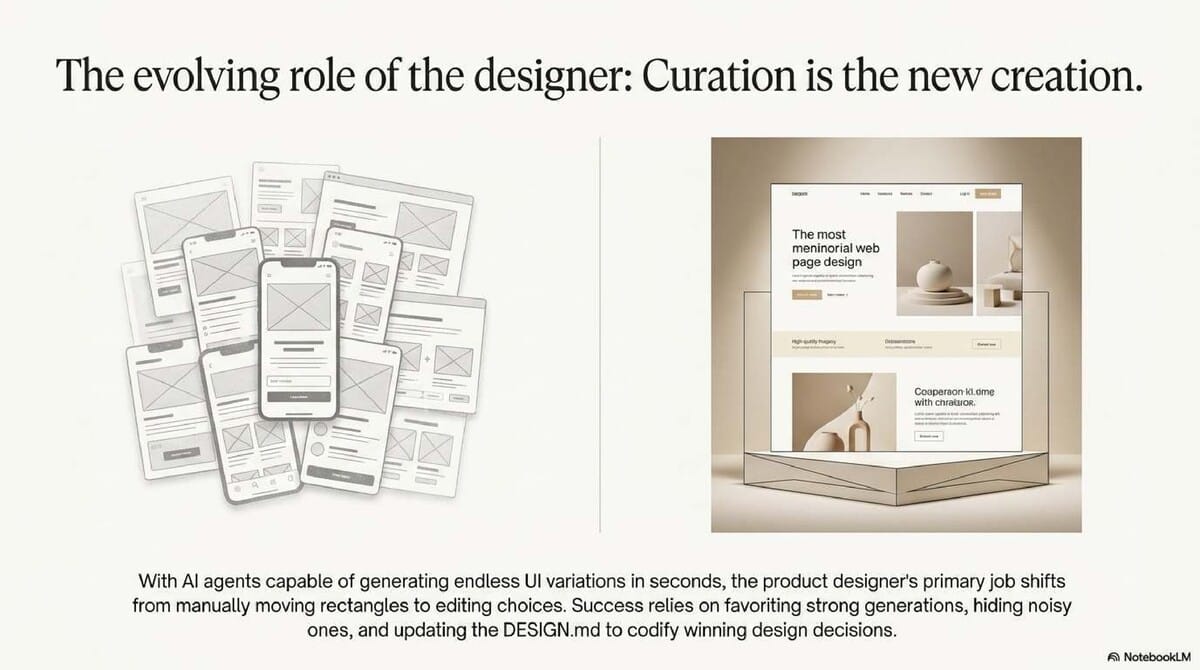
DESIGN.md is the foundation, not the finish line. The designer’s role is shifting from manual pixel-pushing to high-level curation—favoriting strong generations and hiding noise. This turns AI from a random generator into a governed decision process.
FAQ Section
What is the difference between YAML tokens and Markdown prose? YAML tokens are normative values (the data), while prose provides the context and rationale (the intent) for how agents should apply those values.
Can I use this with Tailwind CSS?
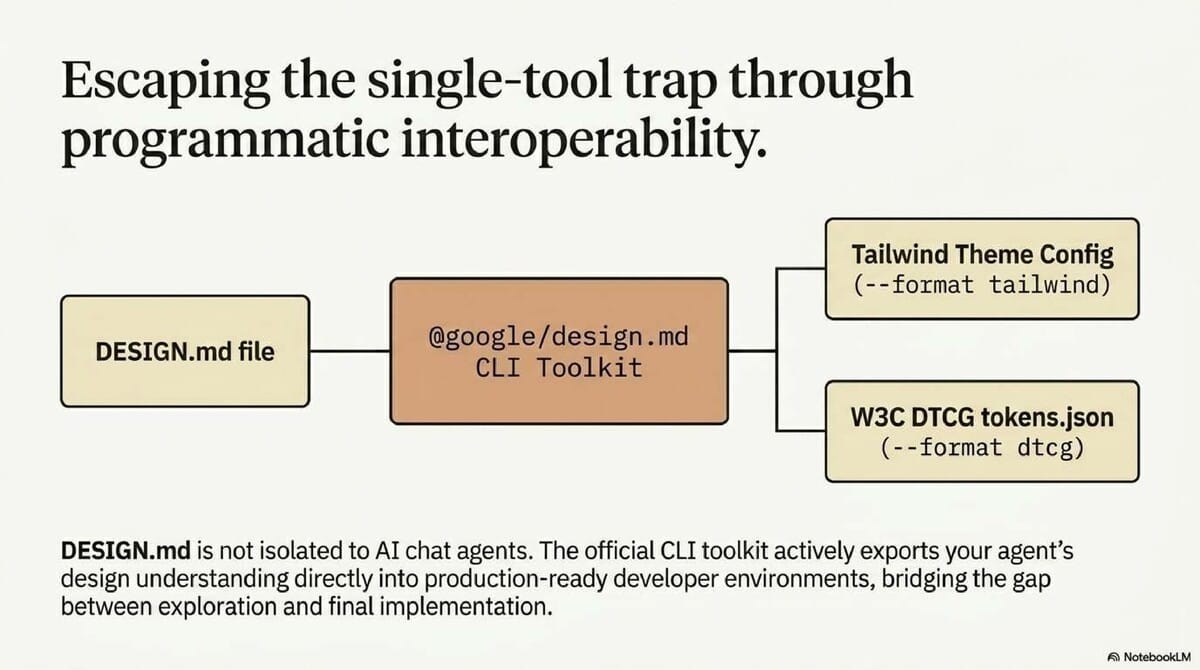
Yes. The CLI features an export command that converts tokens directly into Tailwind theme configurations or DTCG formats.
Is this a Google-only tool? No. It is an open-source format available on GitHub with 9.3k stars, designed for industry-wide adoption.
What happens if the file structure is incorrect? The consumer behavior spec is strict: while unknown headings are preserved, a Duplicate section heading will trigger an Error and cause the agent to reject the file.
Conclusion
The DESIGN.md standard raises the floor for accessibility and quality by giving agents guardrails rather than just "inspiration." It forces a shift in perspective: design is no longer just a visual output, but a machine-readable logic system.
Thought-Provoking Question: As design systems become machine-readable by default, will the "Design System Lead" role eventually transition into a "Design Logic Engineer" who manages specifications rather than pixels?
Last updated: May 22, 2024
📄 Briefing Doc: Technical Analysis
📋 Technical Specifications & Detailed Analysis
DESIGN.md: A Format Specification for AI-Driven Design Systems
Executive Summary
DESIGN.md is an open-source format specification developed by Google Labs to provide coding agents with a persistent, structured understanding of a visual identity. As design workflows increasingly involve AI agents, the industry has lacked a standardized way to communicate design requirements, often leading to inconsistent interpretations across different platforms.
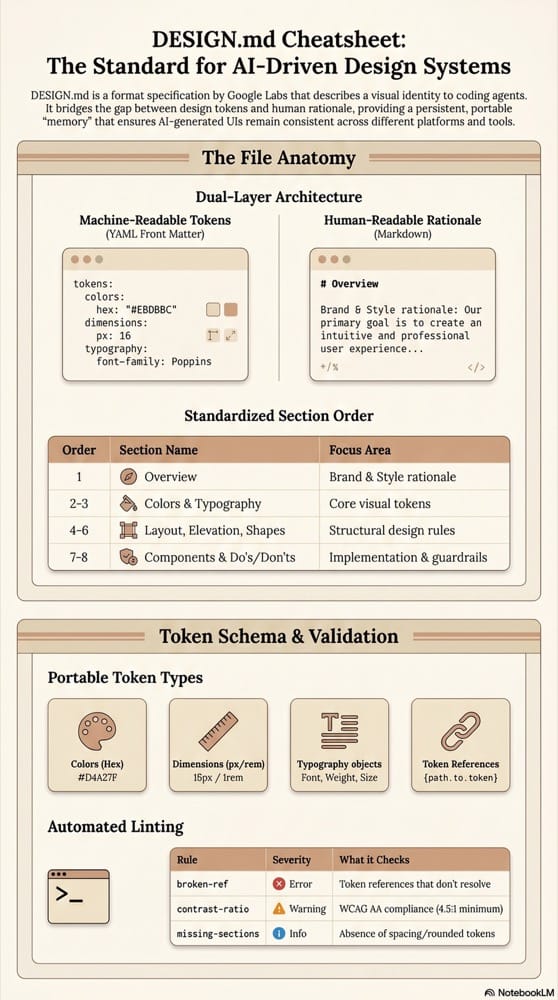
The DESIGN.md specification addresses this by combining machine-readable design tokens (YAML front matter) with human-readable design rationale (Markdown prose). This dual-layer approach ensures that AI agents receive exact values for implementation while understanding the underlying "why" behind design decisions. By standardizing these requirements, DESIGN.md enables design portability across various tools—such as Figma, Stitch, Neuform, and coding agents—preventing design systems from being trapped within a single proprietary environment.
Core Themes and Analysis
1. Standardization and Portability
The primary goal of DESIGN.md is to establish a shared language for AI. Without a standard, every company and agent interprets design systems differently. By using plain Markdown, DESIGN.md makes design rules portable. A single file can move between design platforms, repositories, and builders (like Aura or Cursor), ensuring that the visual system remains consistent regardless of the tool being used.
2. The Intersection of Tokens and Prose
The specification is built on two essential layers:
- YAML Front Matter: Contains the normative values (tokens) such as hex codes for colors, dimensions for spacing, and typography objects. These are the "hard" rules for the agent.
- Markdown Body: Organized into specific sections, this layer provides context. It tells the agent how and when to apply the tokens. For example, while a token might define a "warm limestone" color, the prose explains that it should be used specifically for backgrounds.
3. Iterative Design and AI Collaboration
The workflow for using DESIGN.md emphasizes a transition from exploration to implementation. Tools like Neuform and Stitch allow users to:
- Iterate: Refine a design while staying close to the current direction.
- Remix: Explore broader variations and different "skills" (specific prompt-based techniques like "beautiful shadows" or "laser effects").
- Expand: Take a single hero section and branch it into a full system, including pricing sections, testimonials, and mobile layouts.
4. Quality Assurance and Accessibility
DESIGN.md includes built-in guardrails through linting. The specification allows for the validation of contrast ratios (WCAG AA standards), the identification of orphaned tokens, and the detection of broken references. This raises the floor for UI quality before any code is actually shipped.
Technical Specification Reference
File Structure
A DESIGN.md file must follow a specific structural hierarchy to be valid.
| Layer | Format | Purpose |
|---|---|---|
| Front Matter | YAML | Machine-readable design tokens (normative values). |
| Body | Markdown | Human-readable rationale organized by ## headings. |
Canonical Section Order
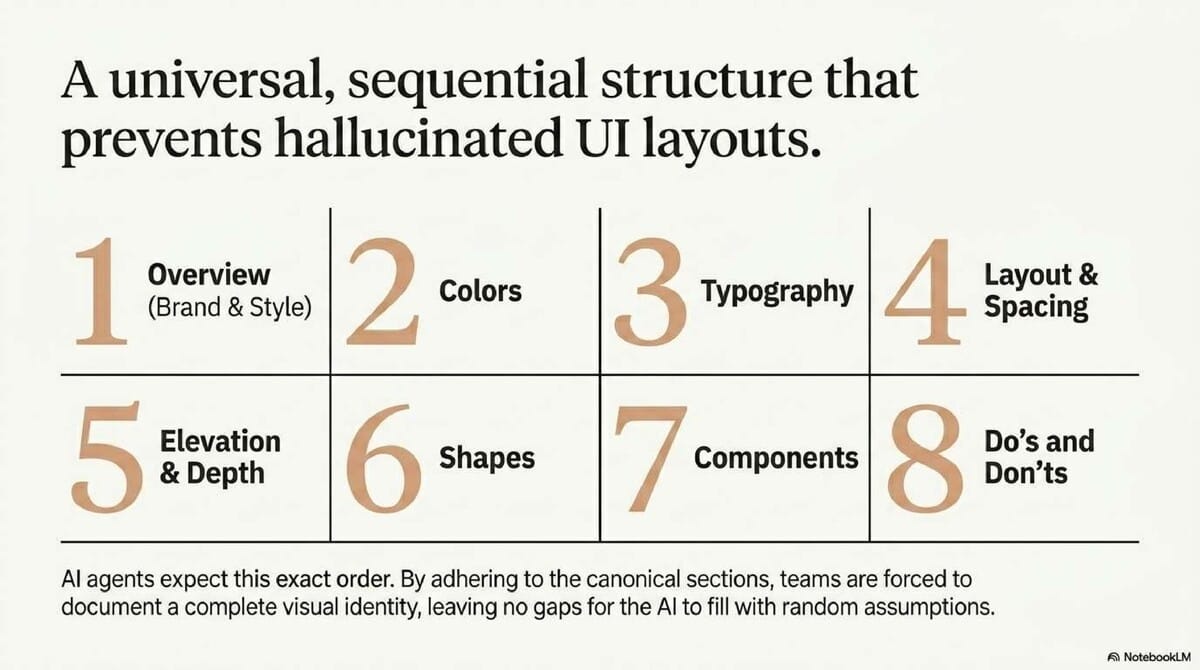
While sections can be omitted, those present must follow this specific order to maintain consistency for agents:
- Overview (Aliases: Brand & Style)
- Colors
- Typography
- Layout (Aliases: Layout & Spacing)
- Elevation & Depth (Aliases: Elevation)
- Shapes
- Components
- Do's and Don'ts
Token Schema
The specification supports several token types inspired by the W3C Design Token Format:
| Type | Format | Example |
|---|---|---|
| Color | # + hex (sRGB) | "#1A1C1E" |
| Dimension | number + unit | 48px, -0.02em |
| Reference | {path.to.token} | {colors.primary} |
| Typography | Object | Includes fontFamily, fontSize, fontWeight, etc. |
Tooling and CLI Capabilities
The @google/design.md CLI toolkit provides several commands for managing design files:
lint: Checks for structural correctness and outputs findings as JSON.diff: Compares two versions to detect token-level or prose regressions.export: Converts tokens to other formats like Tailwind theme config or DTCG tokens.json.spec: Outputs the format specification, which is useful for injecting context into agent prompts.
Linting Rules and Severities
The linter applies seven specific rules to ensure the design system is functional and accessible:
| Rule | Severity | Description |
|---|---|---|
broken-ref |
Error | Token references that do not resolve to a defined token. |
missing-primary |
Warning | Colors are defined but no primary color exists. |
contrast-ratio |
Warning | Background/Text color pairs below WCAG AA minimum (4.5:1). |
orphaned-tokens |
Warning | Color tokens defined but never referenced by a component. |
section-order |
Warning | Sections appear out of the canonical order. |
missing-typography |
Warning | Colors defined but no typography tokens exist. |
missing-sections |
Info | Optional sections (spacing, rounded) are absent. |
Important Quotes and Context
"DESIGN.md gives agents a persistent, structured understanding of a design system... Prose tells them why those values exist and how to apply them." — Project Documentation, explaining the dual-purpose of the format.
"Because we're all working with agents now, it is important that we all follow the same sort of standard... otherwise everyone can have their own interpretation." — DesignCode Transcript, highlighting the necessity of a shared standard to prevent AI drift.
"Markdown is the right middle layer. It is structured enough for agents to parse, but readable enough for designers and developers to inspect without feeling like they are editing raw data." — "Key Takeaways" Source, on the choice of Markdown over JSON.
"Iterate keeps a design close to the current direction, while Remix opens up broader exploration, so choosing the right mode prevents accidental overcorrection." — "Key Takeaways" Source, explaining the tactical difference between AI interaction modes.
Actionable Insights for Implementation
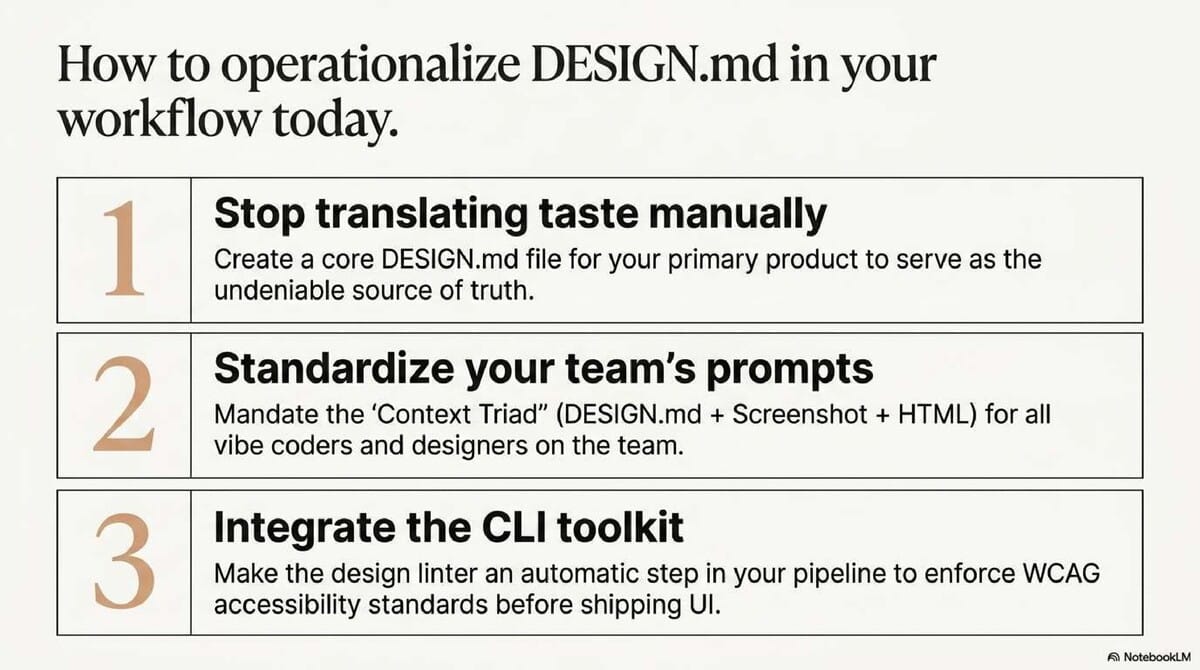
- Use as Project Memory: Treat
DESIGN.mdas the "persistent memory" for a project. Instead of repeating color and typography instructions in every prompt, provide the agent with theDESIGN.mdfile to ensure long-term consistency. - Pair with Visual Context: While
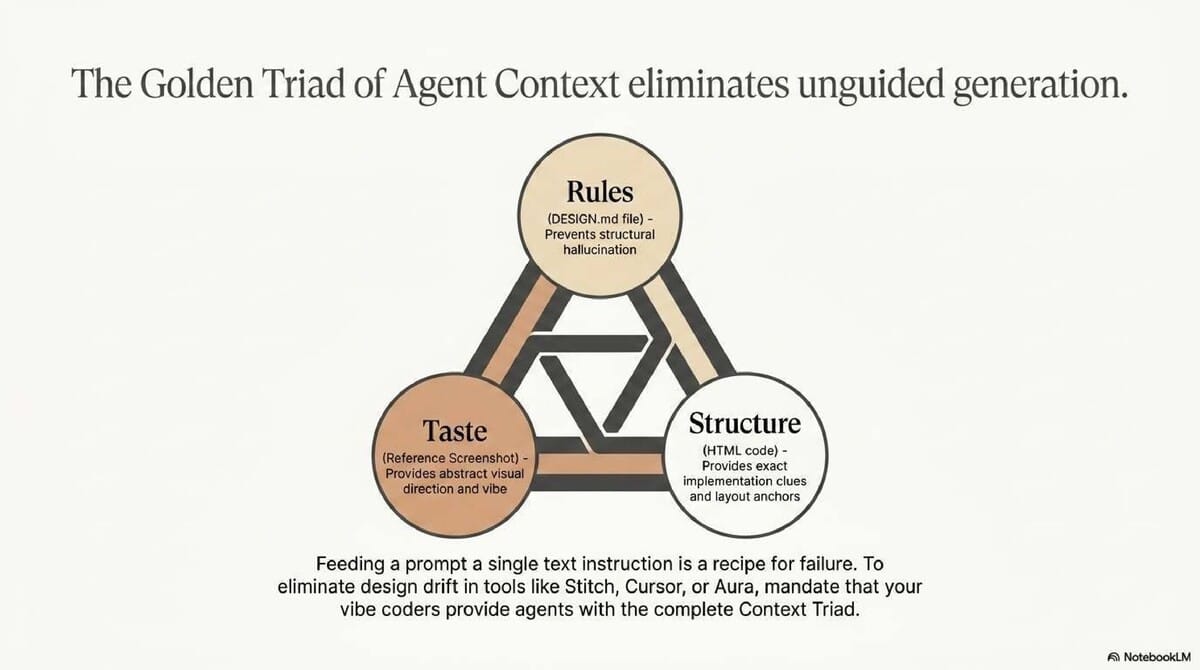
DESIGN.mdprovides the rules, it should be used alongside screenshots (to communicate "taste") and HTML (to provide implementation clues). This "triple-threat" approach reduces design drift. - Implement Guardrails Early: Use the CLI
lintcommand during the design phase. Addressing contrast ratio warnings and broken references early prevents accessibility issues from reaching the production codebase. - Adopt a "Hero-First" Expansion Workflow: Start by defining a strong hero section or a single component in
DESIGN.md. Once the core "vibe" is established, use AI agents to branch that direction into secondary sections like pricing, testimonials, and mobile layouts. - Leverage Export for Development: Use the
export --format tailwindcommand to automatically generate theme configurations. This creates a direct pipeline from design specification to developer implementation.
