


⭐ 425k stars (Nov 2026) · 106k forks · MIT · MCP server, CLI and agent skill
Reverse Engineering is how you answer "how does this app do that?" from the shipped artifact instead of the source. REA, short for Reverse Engineering Anything, is an MCP server, a CLI and an agent skill. It hands your coding agent tools to inspect binaries, Electron and JavaScript apps, .NET assemblies and websites. Findings come back with the evidence attached.
What Reverse Engineering Means Here
See a feature in an app that you want in your own product? Ask your agent to investigate it with REA. It can inspect the app without its source code, explain how the feature works, show the evidence, and build a version for your project.
REA connects your agent to tools for inspecting native binaries, JavaScript and Electron apps, .NET assemblies, and websites. You can also use the same tools from your terminal. Analysis runs locally, and results include the evidence and limitations behind each conclusion.
— the repository's README
It is one MCP server with a CLI and an agent skill in front of it. Analysis runs on your machine. What your agent reads afterwards goes to your model provider, like any other tool output.
What It Can Open
| Target | What comes back |
|---|---|
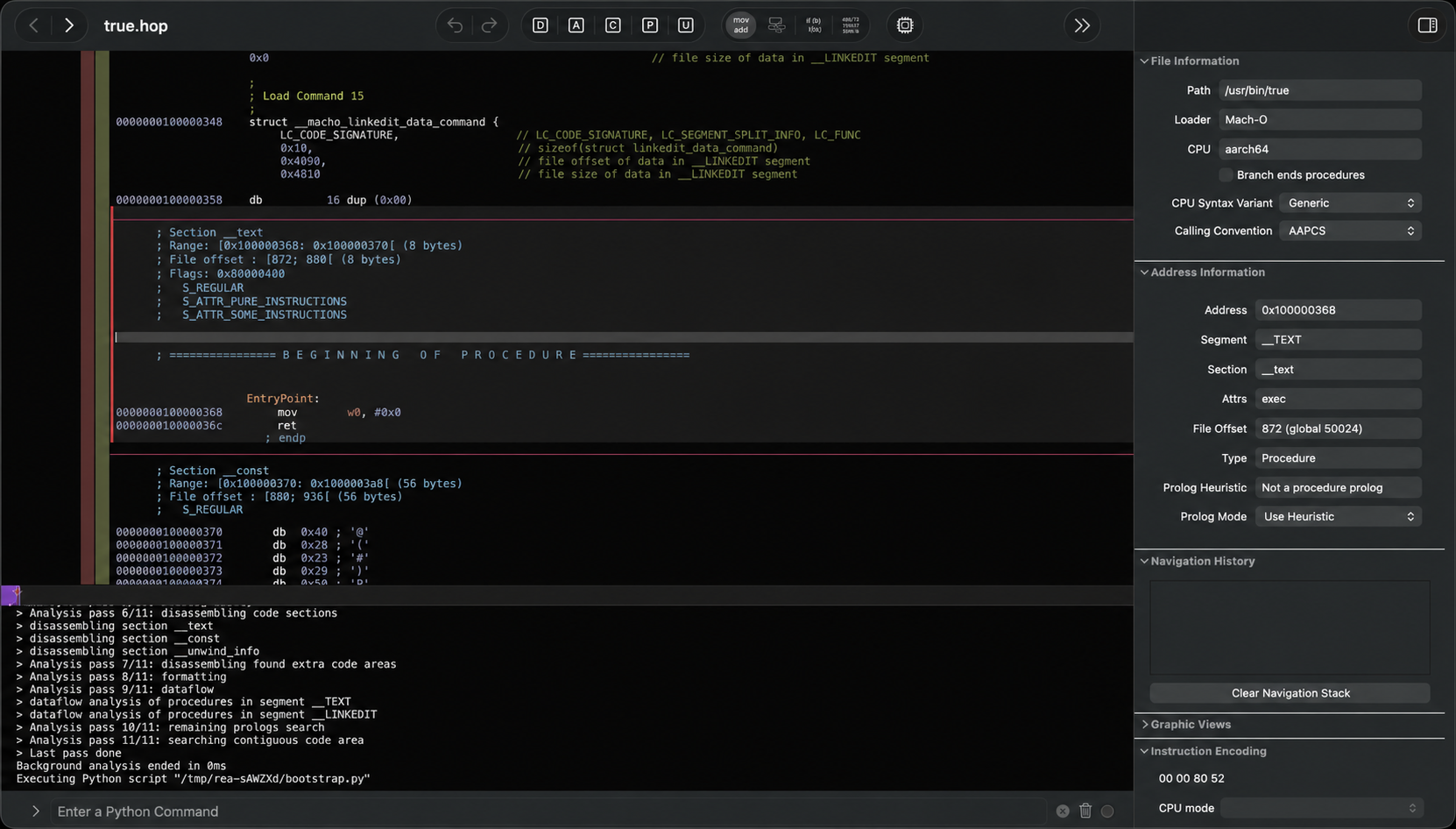
| Native binaries | Pseudocode, assembly, strings, symbols and call references, via Hopper, Ghidra, IDA or Kuna |
| JavaScript and Electron apps | Modules, imports and Electron boundaries; static analysis needs no engine |
| .NET assemblies | Managed types and methods, with NativeAOT handled through native analysis |
| Android APKs | Package contents, classes, methods and incoming references |
| Websites and network captures | Browser targets you own, plus retained HAR and proxy captures |
| Other artifacts | Go and Rust binaries, firmware, Unity IL2CPP, Godot packs, model files and GPU code objects |
How a Reverse Engineering Run Works
- Your agent asks REA about a local target.
- REA inspects or traces it, and returns findings with the evidence behind them.
- The agent explains the behaviour, asks a follow-up, or writes and tests an implementation.
Every conclusion carries its own evidence, and the tool states what stayed unknown. Static analysis is never described as observed execution.
That distinction is the point. An agent that guesses at app behaviour is confident and wrong. One that quotes an address and a call chain can be checked.
One Real Example
Take one small Reverse Engineering question: how does DX-Ball decide where a sound sits in the stereo field? The agent follows the sound call into the helper that sets the pan, then reads the instructions inside it.
They rebuilt that helper in C. It agrees with the original on 3,205 recorded inputs, and it compiles to the same machine code as the function it replaced.
The same approach traced Notion's clipboard bridge through its Electron layers, and recovered a DOS game's bullet-ring maths.
Setup
npx rea-agents setupSetup registers REA with your agent, adds matching workflow instructions, and backs up your existing configuration. It supports Claude Code, Codex, Cursor, Gemini CLI and others. Restart the agent afterwards.
You need Node.js 22.x, 24.x, or 26.12.1 and npm. Static JavaScript analysis works with no extra tooling. Native analysis uses an engine you already have, or setup can install Hopper with your approval.
The Reverse Engineering skill is called reverse-engineer-anything, published on skills.sh. It supplies working instructions only; the setup command above is what registers the tools.
First Run
The tools show up in your agent's list as open_binary, analyze_javascript_application or inspect_android_package, among others. Point one at a build you own:
Open the packaged app in ./dist and tell me whether source maps,
a .env file or a debug flag shipped in the build.
A good answer cites files, module paths or addresses, and says what it could not determine.
What to Know First
REA is built for lawful Reverse Engineering: security research, malware and incident work, interoperability, preservation, and software you own or are authorised to examine. Audit your own build first; that is squarely in scope.
The project refuses DRM and anti-cheat circumvention, game cheats, authentication bypass, and copying proprietary code. Its disclaimer is short and worth reading before your first run.
Some workflows execute programs, attach to running apps, or capture traffic. Those actions can change state on your machine and on connected devices.
Use It, or Skip It
| Use it when | Skip it when |
|---|---|
| A behaviour only exists in a shipped binary or app | You have the source: read the repository instead |
| You need evidence you can cite, not a plausible guess | You want to copy someone's proprietary code or assets |
| You are auditing an app you own | You have not checked whether analysis is permitted |
Install it with the setup command, point your agent at an app you are allowed to inspect, and ask one narrow question. The answer arrives with its evidence attached.
